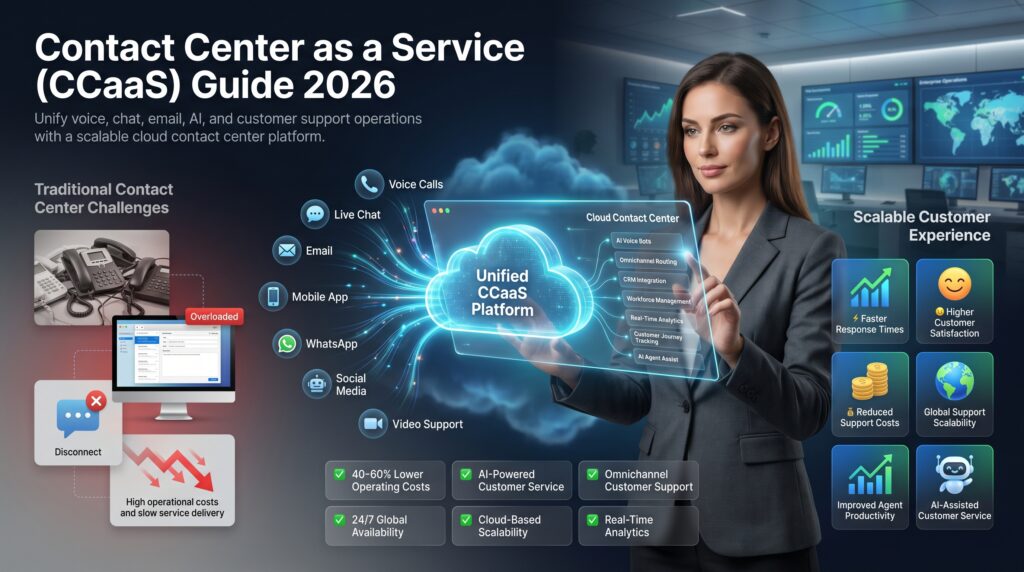
Contact Center as a Service (CCaaS) is a cloud-based software delivery model that provides enterprises with all the technology, infrastructure, and capabilities needed to run a fully functional contact center — without owning or managing any on-premise hardware. Instead of purchasing PBX systems, servers, and telephony equipment, organizations subscribe to a CCaaS platform delivered over the internet and pay only for what they use.
The CCaaS market crossed $7 billion in 2024 and is projected to surpass $25 billion by 2030, driven by the mass enterprise migration to cloud infrastructure, the explosion of AI-powered customer experience tools, and a workforce shift toward remote and hybrid operations. For enterprises evaluating their contact center strategy in 2026, CCaaS has moved from “emerging option” to the dominant deployment model.
At its core, CCaaS gives your customer service, sales, and support teams access to voice calling, digital channels, AI-powered tools, and workforce management — all through a browser or thin client. Your agents work from anywhere. Your IT team manages zero telephony infrastructure. Your CFO gets predictable, scalable costs tied directly to actual usage.
How CCaaS Works: Architecture and Technology
CCaaS platforms run on multi-tenant cloud infrastructure — typically hosted across redundant data centers on AWS, Google Cloud, or Azure. The architecture separates the control plane (routing logic, configuration, AI processing) from the media plane (actual voice and data transmission), enabling massive horizontal scaling during peak volume periods without service degradation.
When a customer reaches out — whether by phone, chat, email, SMS, or social media — the CCaaS platform receives the interaction, applies routing logic (skills-based routing, AI-based intent detection, priority queuing), and delivers it to the best-available agent. The agent sees a unified workspace showing the customer’s full history, real-time AI suggestions, and all active channels in one view.
Behind the scenes, CCaaS relies on several technology layers:
WebRTC and SIP trunking for browser-based and PSTN voice
APIs and pre-built CRM integrations (Salesforce, ServiceNow, Microsoft Dynamics)
AI and NLP engines for intent detection, sentiment analysis, and virtual agents
Real-time analytics pipelines processing interaction data and surfacing KPIs instantly
Workforce management modules for forecasting, scheduling, and quality management
Connectivity between the cloud platform and your corporate network typically runs over the public internet with TLS encryption, or over private dedicated connections (MPLS, SD-WAN) for enterprises with strict latency or compliance requirements.
CCaaS vs On-Premise Contact Centers
The decision between CCaaS and traditional on-premise infrastructure is the defining question for enterprises planning contact center investments in 2026. The comparison is no longer about capability parity — CCaaS has achieved and in many dimensions surpassed on-premise systems. It is now about operational model, risk tolerance, and strategic fit.
Factor
CCaaS (Cloud)
On-Premise
Capital expenditure
None — pure OpEx subscription
High upfront hardware & licensing costs
Deployment time
Weeks (often days for basic setup)
6–18 months for full deployment
Scalability
Elastic — scale seats in minutes
Constrained by hardware capacity
Maintenance burden
Vendor-managed updates, patches, uptime
In-house IT team required
Remote work support
Native — agents work from any location
Requires VPN, complex configuration
AI/innovation speed
Continuous updates pushed by vendor
Major upgrade cycles every 2–5 years
Customization depth
API-driven, within platform constraints
Deep customization, full code access
Compliance (HIPAA, PCI)
Vendor certifications; shared responsibility
Full control; enterprise-managed
Disaster recovery
Multi-region redundancy included
Requires separate DR infrastructure
Total cost (5-year)
Lower for most use cases; variable
Higher TCO; cost-efficient only at massive scale
For most enterprises — particularly those with 50–2,000 agents, distributed workforces, or rapid growth trajectories — CCaaS delivers a better total cost of ownership and dramatically faster time to new capabilities. On-premise retains advantages for organizations with extreme customization requirements, existing fully depreciated infrastructure, or regulatory mandates requiring on-site data control.
Key CCaaS Features: Omnichannel, AI, Analytics, and Workforce Management
Modern CCaaS platforms bundle capabilities that would have required separate point solutions just five years ago. Understanding what to expect from an enterprise-grade platform helps procurement teams build accurate requirements and avoid vendor scope creep.
Omnichannel Routing
True omnichannel — not multichannel — means customer context persists across every interaction. When a customer starts a chat, gets transferred to voice, and follows up by email, the agent sees the complete journey. Enterprise CCaaS platforms support voice, email, live chat, SMS, WhatsApp, social messaging, and video in a unified queue with intelligent blended routing.
AI-Powered Virtual Agents and Assist
Every leading CCaaS vendor now ships embedded AI: conversational IVR bots that handle routine transactions, real-time agent assist that surfaces knowledge base articles and suggests next-best actions, and post-call summarization that auto-generates disposition codes and call notes. These tools reduce average handle time by 20–35% in enterprise deployments.
Real-Time and Historical Analytics
CCaaS platforms process interaction data in real time, surfacing metrics like queue depth, average speed to answer, first-contact resolution, and agent occupancy on live supervisor dashboards. Historical reporting tools enable speech analytics, sentiment trending, and compliance monitoring across 100% of recorded interactions — not just sampled QA.
Workforce Management
Integrated WFM modules handle demand forecasting, agent scheduling, intraday management, and adherence tracking. For enterprises with complex shift patterns, multi-skill agents, and seasonal volume spikes, native WFM eliminates the data-sync problems that plague separate WFM tools bolted onto contact center platforms.
CCaaS Benefits: Scalability, Cost, Reliability, and Speed to Deploy
The business case for CCaaS in 2026 is anchored on four core benefits that compound over time and across use cases.
Elastic Scalability
CCaaS lets enterprises add agents in minutes and reduce seats equally fast. For retail companies managing Black Friday surges, insurers handling catastrophe claim spikes, or healthcare organizations scaling vaccination hotlines, this elasticity is operationally irreplaceable. No hardware procurement cycle. No software license lead time. Seats provisioned in the admin portal and agents are live.
Predictable and Reduced Cost
CCaaS converts the lumpy capital expenditure cycle of on-premise refreshes into predictable monthly operating costs. Total cost of ownership studies consistently show 30–50% cost reductions over five-year periods when enterprises move from on-premise to CCaaS — factoring in elimination of hardware, reduction in IT staffing, and lower upgrade costs.
Enterprise-Grade Reliability
Leading CCaaS platforms publish 99.99% uptime SLAs backed by multi-region active-active architectures. A single on-premise data center failure can take an entire contact center offline; a well-architected CCaaS deployment absorbs regional outages through automatic failover, invisible to agents and customers.
Accelerated Deployment
A greenfield CCaaS deployment can be operational in two to eight weeks. An enterprise replacing legacy on-premise infrastructure typically completes migration in three to six months — compared to 12–18 months for a like-for-like on-premise replacement. This speed translates directly into faster ROI capture and competitive advantage.
CCaaS Cost Guide 2026
CCaaS pricing in 2026 follows two primary models, often offered in combination by the same vendor.
Named-User (Per-Seat) Pricing
The most common enterprise model charges a fixed monthly fee per licensed agent seat. Pricing varies significantly by feature tier:
Basic voice-only seats: $60–$100/agent/month
Digital + voice omnichannel: $100–$150/agent/month
Full suite with AI assist, WFM, analytics: $150–$250/agent/month
Enterprise custom (1,000+ seats): Negotiated; typically 20–40% below list price
Concurrent Usage-Based Pricing
Usage-based models charge by the minute of interaction (typically $0.01–$0.05 per minute for voice) or by concurrent session. This model suits organizations with highly variable contact volumes or large workforces who are only active for short daily windows. BPO operators often favor consumption pricing because it aligns costs directly with billable client activity.
Add-on costs to budget for include: telephony minutes and DID numbers ($0.005–$0.025/minute), storage for call recordings ($0.02–$0.05/GB/month), AI transcription and analytics, and professional services for implementation and integration.
CCaaS for Enterprises vs SMBs: Different Needs, Different Evaluations
CCaaS works for organizations of all sizes, but the evaluation criteria shift dramatically between SMBs and enterprise deployments.
SMBs prioritize ease of setup, low minimum seat counts, and all-in pricing with minimal hidden fees. They want to be operational without dedicated IT involvement and need straightforward CRM integrations with tools like HubSpot or Zoho.
Enterprise buyers evaluate CCaaS through a different lens entirely. The critical enterprise requirements are:
SSO and identity federation (SAML, OAuth with Active Directory)
Role-based access control with granular permission hierarchies
Multi-region deployment and data residency controls
Dedicated tenant isolation or private cloud deployment options
99.99%+ SLA with financially backed credits
Enterprise API access for custom integrations and orchestration
Compliance certifications: SOC 2 Type II, ISO 27001, HIPAA BAA, PCI-DSS
Dedicated customer success and professional services
Enterprise procurement also involves longer evaluation cycles, proof-of-concept deployments, and security questionnaire reviews that SMB buyers rarely encounter. Building an internal evaluation team that includes IT security, legal, operations, and finance is essential for enterprise CCaaS decisions.
AI-Powered CCaaS: The Next Generation
Artificial intelligence has transformed from a differentiating CCaaS feature to a baseline expectation. In 2026, the question is not whether a CCaaS platform includes AI — all credible platforms do — but how deeply and intelligently AI is integrated across the entire interaction lifecycle.
The most impactful AI capabilities in enterprise CCaaS deployments today include:
Generative AI virtual agents that handle complex, multi-turn conversations across voice and digital channels — not just simple intent trees
Real-time agent assist that delivers knowledge base answers, compliance alerts, and empathy coaching mid-call
AI-powered quality management that scores 100% of interactions against configurable rubrics, eliminating manual QA sampling
Predictive routing that matches customers to agents based on behavioral data, predicted outcome, and agent performance patterns
Auto-summarization and disposition that generates call notes and after-call work automatically
The enterprises extracting the most value from AI-powered CCaaS are those that have integrated it with their broader automation strategy. Connecting CCaaS AI to back-office business process automation platforms enables end-to-end resolution without agent involvement — for example, a customer calling to change their delivery address gets a fully automated resolution confirmed within seconds, without waiting in queue.
For a detailed breakdown of the financial and operational impact of AI in contact centers, see our analysis of AI automation in call centers in 2026.
Top CCaaS Use Cases by Industry
CCaaS has proven its value across virtually every customer-facing industry, but the use cases and implementation priorities differ significantly by sector.
Financial Services and Banking
Banks and insurers use CCaaS for omnichannel customer service, fraud alert handling, and loan servicing. PCI-DSS compliance, DTMF masking for card data capture, and call recording with selective pause/resume are table-stakes requirements. AI-powered authentication (voice biometrics, behavioral analytics) reduces fraud while cutting authentication handle time by 30–40 seconds per call.
Healthcare
Healthcare organizations deploy CCaaS for patient scheduling, nurse triage lines, pharmacy refills, and claims inquiry. HIPAA compliance (BAA, data encryption at rest and in transit, audit trails) is mandatory. The integration between CCaaS and EHR platforms like Epic and Cerner enables agents to access patient records without leaving the CCaaS workspace.
Retail and E-Commerce
Retail contact centers face extreme seasonality — holiday peaks can drive 5–10x normal volume. CCaaS elastic scaling is uniquely suited to this pattern. Integration with order management systems enables agents to provide real-time order status, initiate returns, and process exchanges without navigating separate applications.
Telecommunications
Telecom contact centers handle billions of annual interactions with complex self-service requirements and high customer churn risk. AI-powered churn prediction routing — identifying at-risk customers and routing them to specialized retention agents — has demonstrated 15–25% improvements in retention rates at major carriers.
Government and Public Sector
Government agencies use CCaaS for citizen services lines, benefits inquiries, and emergency response coordination. FedRAMP authorization, U.S.-based data residency, and accessibility compliance (Section 508, WCAG) are critical procurement requirements for federal deployments.
How to Choose a CCaaS Provider: The Enterprise Evaluation Framework
Selecting a CCaaS provider is a multi-year strategic commitment. The evaluation process should be structured, repeatable, and involve stakeholders across operations, IT, security, finance, and customer experience leadership.
Step 1: Define Your Requirements Before You Talk to Vendors
Document your current state: seat count, channel mix, interaction volume, peak-to-average ratios, existing CRM and back-office systems, compliance requirements, and agent locations. Define your future state: where do you need to be in 18 months and 36 months? Build a requirements scorecard before any vendor demo.
Step 2: Evaluate Architecture and Reliability
Request detailed architecture documentation. How is the platform architected for resilience? What is the actual uptime track record (not just the SLA)? How does failover work? Where are data centers located? For enterprises with strict data sovereignty requirements, this step is non-negotiable.
Step 3: Integration and Migration Assessment
Map every system that needs to connect to your CCaaS platform: CRM, ticketing, knowledge base, WFM, analytics, identity provider, telephony carriers. Evaluate the vendor’s pre-built integration library and their API framework. A poor integration story is the most common source of post-deployment dissatisfaction.
Step 4: AI and Innovation Roadmap
Evaluate not just what the platform does today but where it is going. Ask vendors for their 12-month AI roadmap. Are they building on proprietary models or partnering with foundation model providers? How quickly do they ship new features? What is the customer advisory process for influencing the roadmap?
Step 5: Total Cost Modeling
Build a five-year TCO model. Include: base subscription, telephony costs, implementation and professional services, internal IT and change management, ongoing training, and the cost of any third-party tools you will still need. Get three vendor proposals and normalize them to a common seat count and feature baseline for honest comparison.
Step 6: Reference Checks and Proof of Concept
Insist on speaking with at least three reference customers in your industry and at your scale. Run a 30–60 day proof of concept with real agents handling live interactions. Evaluate not just feature performance but support responsiveness, escalation handling, and the vendor’s operational partnership quality.
CCaaS + BPO Outsourcing: The Combined Enterprise Strategy
One of the most powerful — and underutilized — contact center strategies for enterprises in 2026 is combining CCaaS technology with BPO (Business Process Outsourcing) delivery. This model gives enterprises the best of both worlds: modern cloud technology with the operational agility and cost efficiency of an outsourced workforce.
In a CCaaS+BPO model, the enterprise retains ownership and configuration of the CCaaS platform — ensuring brand consistency, data security, and operational control — while the BPO provider supplies trained agents who work within the enterprise’s CCaaS environment. The enterprise can seamlessly blend internal agents and BPO agents in the same queue, with identical tools, visibility, and quality standards.
This model is particularly powerful for:
Overflow and surge capacity — BPO agents absorb peaks that would otherwise require costly permanent headcount
After-hours and 24/7 coverage — BPO partners in global delivery locations extend coverage without premium domestic labor costs
New market entry — BPO agents in target geographies enable rapid local-language support without greenfield hiring
Specialized process support — complex back-office processes can be outsourced to trained specialists while remaining fully visible within the CCaaS analytics layer
For enterprises exploring the financial case for outsourcing customer operations, our detailed guide on customer support outsourcing in 2026 covers cost models, vendor selection, and transition planning in depth.
Mascallnet CCaaS-Enabled Contact Center Services
Mascallnet delivers enterprise contact center solutions built on CCaaS infrastructure — giving clients the operational benefits of cloud-native technology without the burden of platform ownership, implementation complexity, or technology management.
Our contact center services are designed for enterprises that need fully managed, CCaaS-powered customer operations at scale. Whether you are migrating from legacy on-premise infrastructure or building a new customer experience capability, Mascallnet provides the platform, the people, the processes, and the technology integration to deliver results from day one.
Key capabilities we deliver through our CCaaS-enabled model include:
Omnichannel customer support across voice, email, chat, SMS, and social platforms — managed through our 360° customer support services
AI-powered agent tools including real-time assist, auto-summarization, and intelligent routing — see how our CallMaster platform integrates these capabilities
Intelligent automation for self-service containment and back-office process integration — our intelligent automation for enterprises approach eliminates manual work across the customer journey
Flexible hybrid delivery — blend Mascallnet agents with your internal team in a single CCaaS environment for seamless surge coverage and specialized support
Unlike pure technology vendors who deliver software and step back, Mascallnet provides end-to-end accountability: we own performance outcomes, not just uptime metrics. Our clients benefit from a CCaaS-powered operation without carrying the organizational overhead of platform management, technology upgrades, or continuous AI optimization.
Frequently Asked Questions About Contact Center as a Service
What is the difference between CCaaS and UCaaS?
CCaaS (Contact Center as a Service) is purpose-built for customer-facing operations: inbound/outbound queues, omnichannel routing, IVR, WFM, and CX analytics. UCaaS (Unified Communications as a Service) is designed for internal business communications: enterprise telephony, video conferencing, messaging, and collaboration tools like Microsoft Teams or Zoom. Many enterprises use both — UCaaS for internal collaboration and CCaaS for customer-facing operations — though some platforms now offer combined or tightly integrated suites.
How long does a CCaaS implementation take?
A basic CCaaS deployment for a small team with standard CRM integration can be live in two to four weeks. Enterprise implementations with complex integrations, custom IVR flows, WFM configuration, and migration from legacy systems typically take three to six months. Replacing a deeply customized on-premise platform with complex scripting and back-office integrations can extend to nine to twelve months. Phased rollouts — starting with a pilot group before full migration — are strongly recommended for enterprise deployments.
Is CCaaS secure enough for financial services and healthcare?
Yes — enterprise CCaaS platforms are designed to meet the strictest compliance requirements. Look for SOC 2 Type II certification, PCI-DSS Level 1 compliance (for card data handling), HIPAA Business Associate Agreements (for healthcare), and ISO 27001 certification. Most leading platforms also offer FedRAMP authorization for government use. The shared responsibility model means enterprises must still configure the platform correctly — but the underlying infrastructure meets regulatory standards.
Can CCaaS support work-from-home agents?
CCaaS is ideally suited for remote and hybrid agent workforces. Agents need only a browser, headset, and internet connection. The platform handles all call routing, quality monitoring, and performance management regardless of agent location. Enterprise CCaaS platforms also include features specifically designed for remote management: real-time monitoring, remote coaching (whisper/barge), and engagement tools that replicate in-person team dynamics.
What is the minimum seat count for enterprise CCaaS?
Most enterprise CCaaS vendors have minimum commitments of 50–100 seats to access enterprise pricing, dedicated support, and full API access. Some platforms (particularly those targeting mid-market) will work with 10–50 agent deployments. At the other extreme, the largest enterprise deployments run tens of thousands of seats on a single CCaaS platform. Contract minimums and volume discounts vary significantly — always negotiate on minimum commitment thresholds, not just per-seat price.
How does CCaaS integrate with Salesforce and other CRMs?
All major CCaaS platforms offer native integrations with Salesforce, Microsoft Dynamics, ServiceNow, Zendesk, and HubSpot. These integrations enable screen-pop (customer record displayed automatically when a call arrives), click-to-dial from the CRM interface, automatic call logging and disposition capture, and CRM-driven routing rules. For enterprise CRMs with complex custom objects or governance requirements, API-based custom integrations are typically required and add to implementation scope.
What happens if the CCaaS vendor has an outage?
Enterprise CCaaS platforms publish uptime SLAs of 99.99% (approximately 52 minutes of downtime per year) and are backed by financially compensable credits when SLAs are missed. Resilience architectures include multi-region active-active deployments, automatic failover, and geo-redundant media routing. For enterprises with zero-downtime requirements, evaluate whether the vendor offers dedicated disaster recovery routing configurations, and define explicit RTO/RPO requirements in the MSA before signing.
How is CCaaS priced — and what hidden costs should I watch for?
CCaaS pricing is most commonly per-agent per-month, with tiers based on feature access. Watch for costs outside the base seat fee: telephony usage (inbound and outbound minutes, DID numbers, toll-free charges), call recording storage, AI transcription and analytics add-ons, professional services for implementation, and annual increases locked into multi-year contracts. Build a fully loaded cost model that includes all add-ons and usage estimates before comparing vendor proposals.
What is the difference between CCaaS and a hosted contact center?
A hosted contact center is a traditional on-premise platform moved to a vendor-managed data center — the software architecture is the same, but someone else runs the servers. CCaaS is purpose-built for multi-tenant cloud delivery: it is designed from the ground up for elastic scaling, continuous updates, and consumption-based economics. Hosted solutions typically still require lengthy upgrade cycles and lack the elastic scalability and AI innovation velocity of true CCaaS platforms.
Can CCaaS support outbound sales and collections, not just inbound service?
Absolutely. Enterprise CCaaS platforms include full outbound dialing capabilities: preview, progressive, and predictive dialers; TCPA/DNC compliance management; call recording and QA for outbound interactions; and blended agent workforces that handle both inbound and outbound interactions in the same queue. Outbound AI tools — voice message drops, AI-assisted prospecting, sentiment detection for collections — are increasingly standard features on enterprise platforms.
Outsourcing vs in-house customer support in 2026: compare fully loaded cost, ROI, scalability, CX, AI, compliance and the hybrid model before you decide.
AI call center solutions in India combine AI voice bots, agent assist, automated QA, conversation intelligence and BPO to reduce customer support costs while improving resolution, scalability and CX.