
Help Desk Outsourcing: The Complete Business Guide for 2026
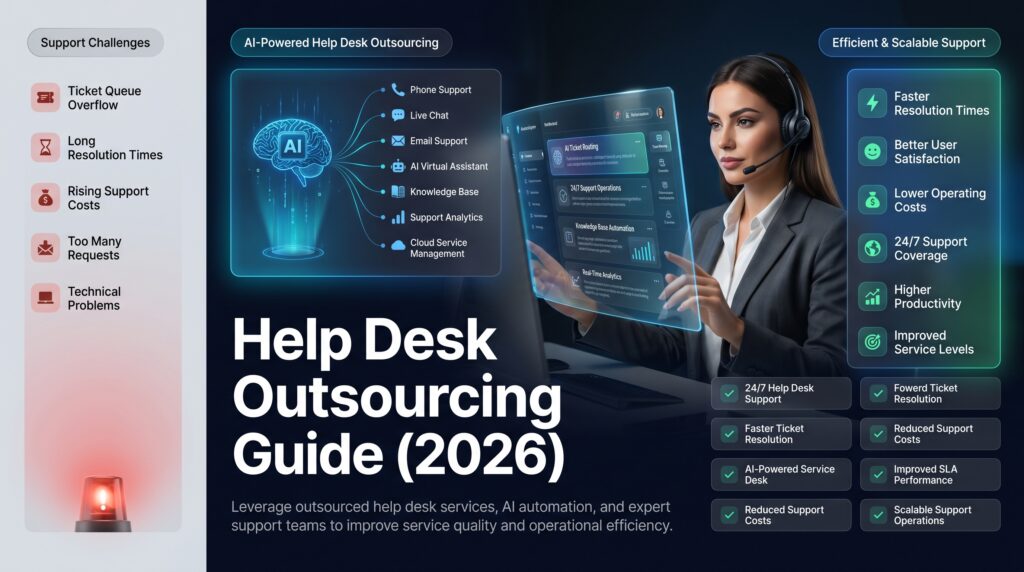
Help desk outsourcing is transforming how businesses deliver technical and customer support in 2026. By partnering with a specialized provider, companies can access round-the-clock support, reduce overhead costs, and deliver faster resolutions—without the burden of building and managing an in-house team. Whether you’re a growing SMB struggling with ticket volume or an enterprise looking to optimize IT costs, this complete guide covers everything you need to know about help desk outsourcing: costs, benefits, service levels, SLA expectations, and how to choose the right provider.
What Is Help Desk Outsourcing?
Help desk outsourcing is the practice of delegating your organization’s support operations—whether IT troubleshooting, customer service, or software support—to a third-party specialist. Instead of hiring, training, and managing an internal support team, you contract with a Business Process Outsourcing (BPO) provider or managed service provider (MSP) that handles all or part of your support workload.
The scope can range from a simple Level 1 password reset function to complex multi-tier technical support covering software, hardware, network infrastructure, and enterprise applications. Outsourced help desk services can be delivered onshore, nearshore, or offshore depending on your budget and coverage requirements.
Help desk BPO has matured significantly in recent years. Today’s providers offer ITIL-aligned processes, AI-assisted ticketing, real-time reporting dashboards, and seamless integration with major ITSM platforms—making outsourcing a strategic business decision rather than just a cost-cutting measure.
Types of Help Desk Services
Not all outsourced help desk services are the same. Understanding the distinctions helps you match the right solution to your business needs.
IT Help Desk Outsourcing
IT help desk outsourcing focuses on resolving technical issues for internal employees or end users. This includes hardware troubleshooting, software installation, network connectivity, account access, and system errors. IT help desk outsourcing is commonly used by companies without a dedicated IT department or those looking to augment an existing team during growth phases or peak periods.
Customer Help Desk Outsourcing
Customer-facing help desks handle external support requests from paying customers. These agents handle product inquiries, billing issues, onboarding support, and complaint resolution. The focus is on customer experience metrics such as CSAT scores, first-contact resolution rates, and Net Promoter Score (NPS). As part of a broader 360-degree customer support services strategy, the customer help desk serves as the frontline of your brand experience.
Software Support Help Desks
Specialized software support desks provide Tier 2 and Tier 3 assistance for SaaS products, enterprise applications, and custom platforms. Agents are trained in specific software ecosystems—such as Salesforce, Microsoft 365, or custom ERP systems—and handle configuration, bug escalation, and integration support. This type of managed help desk is particularly valuable for software companies scaling their support operations without proportionally growing headcount.
Key Benefits of Help Desk Outsourcing
Significant Cost Reduction
The most immediate benefit of outsourced help desk services is cost savings. In-house support teams require salaries, benefits, office space, equipment, training budgets, and management overhead. Outsourcing converts these fixed costs into predictable variable expenses. Most businesses save 40–60% compared to fully staffed in-house teams. For context, a five-person in-house help desk in the US typically costs $20,000–$45,000 per month all-in, while an equivalent outsourced solution often runs $8,000–$18,000 per month.
24/7 Support Availability
Modern customers and employees expect support around the clock. Building internal 24/7 coverage requires multiple shifts, overtime pay, and redundant staffing. An outsourcing partner can deliver continuous availability across time zones without the operational complexity. This is especially critical for businesses serving global customers or running cloud infrastructure that requires constant monitoring.
Access to Trained Expertise
Reputable help desk BPO providers employ agents with certifications in ITIL, CompTIA A+, Microsoft, and Salesforce. You gain instant access to expertise that would take months to develop internally—without the recruitment and onboarding costs. Knowledge process capabilities, like those offered through knowledge process outsourcing, further enhance the quality of documentation and resolution accuracy.
Scalability on Demand
Seasonal spikes, product launches, and rapid growth can overwhelm an in-house team. Outsourced providers scale agent capacity up or down based on demand, ensuring service quality doesn’t degrade during peak periods. This elasticity is one of the defining advantages of IT help desk outsourcing—you pay for what you use, not for idle capacity.
Focus on Core Business Functions
When your internal teams aren’t fielding support tickets, they can focus on product development, sales, and strategic initiatives. Outsourcing frees up human capital for high-value activities. Research consistently shows that companies that outsource non-core functions grow faster and allocate internal talent more effectively.
Help Desk Outsourcing Cost Guide 2026
Understanding pricing models is critical before selecting a provider. Costs vary based on service level, geography, and volume. For a deeper breakdown of outsourced support pricing across all service types, see our 2026 customer support outsourcing cost guide.
Pricing Models Explained
| Model | Price Range | Best For |
|---|---|---|
| Per-ticket pricing | $8–$25 per ticket | Low-volume or unpredictable demand |
| Per-agent (FTE) pricing | $1,200–$3,500/agent/month | Stable, high-volume operations |
| Monthly flat-rate | $500–$10,000+/month | SMBs wanting predictable costs |
| Blended/hybrid | Custom | Enterprises with mixed workloads |
What Drives Help Desk Outsourcing Cost?
- Support tier: L1 (basic) costs less than L2/L3 (advanced technical support)
- Geography: Offshore providers (Philippines, India) are 50–70% cheaper than nearshore (Mexico, Eastern Europe) or onshore (US, UK)
- Hours of coverage: 24/7 service costs more than business-hours-only
- Channel mix: Phone support costs more than email or chat
- Industry compliance: HIPAA, PCI-DSS, or SOC 2 requirements add 15–25% to base costs
2026 Market Benchmarks
For a typical SMB requiring basic IT help desk support (8×5, L1 only), expect to pay $1,500–$4,000/month. A mid-market company needing 24/7 multi-tier support across phone, email, and chat typically pays $8,000–$25,000/month. Enterprise managed help desk contracts often start at $30,000/month and include dedicated teams with comprehensive SLA guarantees.
In-House vs. Outsourced Help Desk: Full Comparison
| Factor | In-House Help Desk | Outsourced Help Desk |
|---|---|---|
| Startup cost | High (hiring, training, equipment) | Low (contract setup, onboarding) |
| Monthly cost (5 agents) | $20,000–$45,000 | $8,000–$18,000 |
| Scalability | Slow and expensive | Fast and flexible |
| 24/7 coverage | Complex and costly | Standard offering |
| Expertise depth | Varies by hire quality | Certified, specialized teams |
| Control | Full internal control | Managed through SLAs |
| Time to deploy | 3–6 months | 2–8 weeks |
| Cultural alignment | High | Requires onboarding investment |
| Annual cost (5 agents) | $240,000–$540,000 | $96,000–$216,000 |
ROI Snapshot: A company paying $35,000/month for a 6-agent in-house help desk can typically switch to an outsourced model for $14,000–$18,000/month—saving over $200,000 annually while often improving first-call resolution rates and CSAT scores due to specialized agent training.
What Level of Help Desk Do You Need? L1, L2, and L3 Explained
Help desk support is divided into service tiers. Choosing the right combination drives cost efficiency and resolution quality.
Level 1 (L1) — Basic Support
L1 handles the highest volume of tickets: password resets, basic connectivity issues, software installation, account unlocks, and FAQ-type requests. L1 agents follow scripts and knowledge base articles. Most outsourced providers quote L1 at the lowest price point. First-call resolution for well-run L1 teams typically reaches 70–85% of all inbound tickets.
Level 2 (L2) — Intermediate Technical Support
L2 takes escalations from L1 that require deeper investigation: application errors, configuration issues, hardware diagnostics, and advanced troubleshooting. L2 agents hold technical certifications and have hands-on experience with specific platforms. Outsourcing L2 requires a more thorough knowledge transfer during onboarding but yields significant savings over maintaining senior in-house technical staff.
Level 3 (L3) — Expert and Engineering Support
L3 involves engineers, developers, or vendor specialists who handle root-cause analysis, code-level bug fixes, infrastructure issues, and complex integration problems. L3 is the most expensive tier and typically lowest in volume but highest in business impact. Most outsourcing arrangements cover L1 and L2, with L3 remaining in-house or escalated directly to software vendors.
SLA Requirements: What to Expect from Outsourced Help Desk
A Service Level Agreement (SLA) is the contractual backbone of any outsourced help desk relationship. Before signing, understand the standard benchmarks and push for guarantees that align with your business requirements.
| SLA Metric | Industry Benchmark | Premium SLA Target |
|---|---|---|
| First response time (critical) | < 1 hour | < 15 minutes |
| First response time (standard) | < 4 hours | < 1 hour |
| First call resolution rate | 70–80% | 85%+ |
| Ticket resolution time (L1) | < 4 hours | < 2 hours |
| Ticket resolution time (L2) | < 24 hours | < 8 hours |
| System uptime | 99.5% | 99.9% |
| Customer satisfaction (CSAT) | 85%+ | 92%+ |
Key SLA terms to negotiate include: penalty clauses for breaches (credit-back provisions of 5–15% of monthly fees), escalation pathways by priority level, reporting frequency and dashboard access, right-to-audit provisions for compliance-sensitive industries, and knowledge base ownership—ensure you retain all documentation your provider creates.
Help Desk Outsourcing for SMBs vs. Enterprises
SMBs (Under 500 Employees)
SMBs often lack the budget for a full in-house support team. IT help desk outsourcing provides enterprise-grade capabilities at a fraction of the cost. Key considerations for SMBs include: shared agent models (more affordable than dedicated teams), scalability for growth-phase companies with unpredictable ticket volumes, quick deployment timelines of 2–4 weeks, and per-ticket or flat monthly pricing for cost predictability. Look for providers with SMB packages and no long-term lock-in contracts.
Enterprises (500+ Employees)
Enterprise organizations require greater customization, compliance rigor, and integration depth. Key considerations include dedicated teams (agents work exclusively for your account), ITSM integration with ServiceNow or Jira Service Management, multi-language support for global operations, and SOC 2 Type II or ISO 27001 certifications. Enterprises should conduct RFPs with 3–5 shortlisted providers and require proof-of-concept pilots. Explore our full BPO vendor selection guide and review our contact center services for enterprise-scale support structures.
How to Evaluate and Choose a Help Desk Outsourcing Provider
Selecting the right partner is the most critical decision in the outsourcing process. Use this framework to evaluate candidates objectively. For a comprehensive approach to vendor evaluation beyond help desk, see our guide on scaling customer support outsourcing in 2026.
Step 1: Define Your Requirements
Document your current ticket volume, channel mix (phone/email/chat), hours of coverage needed, escalation complexity, and integration requirements. This scope document forms the basis of your RFP and protects you from scope creep after contract signing.
Step 2: Assess Industry Experience
Look for providers with demonstrated experience in your industry vertical. A healthcare company needs a provider familiar with HIPAA workflows; a SaaS company needs agents who understand software-specific troubleshooting patterns. Request case studies with comparable clients and ask about average agent tenure—high turnover is a warning sign.
Step 3: Evaluate Technology Stack
Top-tier providers integrate with your existing ITSM tools (ServiceNow, Zendesk, Freshdesk). They should offer real-time reporting dashboards, omnichannel ticketing, knowledge base management tools, and AI-assisted ticket triage. Ask for a live demo of their reporting interface before committing.
Step 4: Audit Their Quality Assurance Process
Ask specifically: How do they monitor agent quality? What percentage of interactions are recorded and reviewed? Strong providers conduct weekly QA scoring, calibration sessions, and CSAT-to-performance correlation analysis. A provider that cannot clearly explain their QA methodology is a provider that cannot consistently deliver quality.
Step 5: Verify Security and Compliance Certifications
At minimum, verify SOC 2 Type II, ISO 27001, and any relevant industry certifications. For enterprise engagements, request the most recent audit reports and ask specifically about data residency, access control policies, and breach notification procedures.
Step 6: Check References
Request 2–3 client references in your industry and size range. Ask specifically about the onboarding experience, SLA adherence, and how the provider handled a difficult situation or major incident. A provider’s behavior under pressure is more revealing than their sales pitch.
Provider Selection Matrix
| Evaluation Criterion | Weight | Why It Matters |
|---|---|---|
| Industry experience | 20% | Domain knowledge reduces ramp-up time and error rates |
| Technology integration | 20% | Seamless ITSM integration prevents data silos |
| SLA guarantees | 20% | Contractual accountability drives consistent performance |
| Pricing model | 15% | Aligns cost structure to your usage patterns |
| Security & compliance | 15% | Protects your data and reduces regulatory risk |
| Client references | 10% | Validates claims with real-world performance data |
Implementation and Transition Best Practices
Phase 1: Knowledge Transfer (Weeks 1–3)
Document everything: product knowledge, common issues, escalation procedures, tone guidelines, and approved responses. Build a comprehensive knowledge base that agents can reference from day one. The quality of your knowledge transfer directly determines how quickly your outsourced team reaches full productivity.
Phase 2: Parallel Operations (Weeks 4–6)
Run the outsourced team alongside your in-house team temporarily. This allows real-time quality monitoring, issue identification, and confidence building before full handoff. Track every ticket the outsourced team handles during this phase and score it against your QA rubric.
Phase 3: Soft Launch (Weeks 7–8)
Route 25–50% of live tickets through the outsourced team. Monitor CSAT, resolution times, and escalation rates closely. Address gaps immediately through targeted coaching. Your transition manager should be reviewing daily reports during this phase.
Phase 4: Full Transition and Optimization (Month 3+)
Complete the handoff with clear escalation paths to internal stakeholders. Establish weekly review calls, monthly performance reviews, and quarterly business reviews (QBRs) to track progress against SLAs and drive continuous improvement. Retain one internal L2 expert during the first 90 days for complex escalations as a safety net.
Common Mistakes to Avoid When Outsourcing Your Help Desk
Even well-resourced organizations make avoidable errors when transitioning to an outsourced help desk model. Understanding these pitfalls upfront can save months of remediation work and significant budget.
Underinvesting in the Knowledge Transfer Phase
The single most common failure point in help desk outsourcing is an inadequate knowledge transfer. Many companies hand over a thin FAQ document and expect agents to perform. In reality, a high-quality knowledge base requires 40–80 hours of documentation work before onboarding begins. Map your top 50 ticket types, document step-by-step resolution paths for each, and record video walkthroughs for complex systems. This investment pays dividends immediately in lower escalation rates and faster resolution times from week one.
Choosing on Price Alone
The cheapest provider is rarely the best value. A provider billing $6 per ticket with a 55% first-call resolution rate costs more in real terms—through escalations, repeat contacts, and customer churn—than a provider at $14 per ticket with an 84% FCR. Always calculate total cost of ownership, including ticket re-open rates, escalation volume, and downstream customer satisfaction impact when evaluating bids.
Neglecting Change Management
Internal stakeholders—particularly IT managers and department heads accustomed to an in-house team—often resist the transition. Failing to communicate the rationale, timeline, and expected quality improvements creates friction that undermines the outsourced team’s early performance. Designate a transition champion from senior leadership, run internal communication campaigns, and share early metrics proactively to build organizational buy-in.
Skipping the Pilot Phase
Rushing directly to full handoff without a controlled pilot creates unnecessary risk. A 3–4 week pilot routing a defined ticket category through the outsourced team lets you validate quality, identify knowledge gaps, and calibrate SLA expectations in a low-stakes environment before committing your full support volume.
Setting It and Forgetting It
Help desk outsourcing is not a one-time decision—it requires ongoing management. Organizations that stop monitoring SLA adherence, reviewing CSAT trends, and participating in QBRs after the first 90 days frequently see performance drift. Build a governance rhythm: weekly data reviews in the first quarter, then monthly; quarterly business reviews with the provider’s account leadership; and an annual contract performance review with renegotiation rights.
Mascallnet Help Desk Services
Mascallnet delivers fully managed help desk outsourcing solutions for SMBs and enterprises across North America and globally. Our certified IT agents, AI-assisted ticketing, and ITIL-aligned processes combine to deliver measurable performance from day one—backed by contractual SLA guarantees and transparent reporting.
Our managed help desk offering includes L1, L2, and L3 support across IT, software, and customer-facing channels; 24/7/365 availability with guaranteed first-response SLAs; omnichannel coverage across phone, email, live chat, and self-service portal; and seamless integration with ServiceNow, Zendesk, Freshdesk, and 40+ ITSM platforms. We are SOC 2 Type II certified and HIPAA-compatible.
We offer flexible pricing—from per-ticket models for SMBs to dedicated-team contracts for enterprise clients—so you only pay for what your business actually needs. Explore our full suite of customer support services to see how a managed help desk fits within a broader outsourced support strategy.
Frequently Asked Questions About Help Desk Outsourcing
What is the difference between a help desk and a service desk?
A help desk focuses on reactive support—resolving immediate technical issues and user requests. A service desk is a broader, ITIL-aligned function that encompasses incident management, service request fulfillment, change management, and problem management. Most outsourced offerings include both functions under the umbrella of help desk outsourcing.
How much does it cost to outsource a help desk in 2026?
Costs vary widely based on volume, tier, geography, and coverage hours. Typical 2026 ranges: SMBs pay $1,500–$8,000/month; mid-market companies pay $8,000–$25,000/month; enterprises typically start at $30,000/month for dedicated teams. Per-ticket pricing ranges from $8–$25 depending on complexity and SLA requirements.
Is outsourcing IT help desk secure?
Reputable providers maintain SOC 2 Type II, ISO 27001, and industry-specific certifications. They implement strict access controls, encrypted communication, and regular security audits. Before signing, verify certifications, review their data processing agreements, and ensure they comply with applicable regulations (GDPR, HIPAA, PCI-DSS).
How long does it take to transition to an outsourced help desk?
A typical transition takes 4–8 weeks: 1–3 weeks for knowledge transfer, 2–3 weeks for parallel operations, and 1–2 weeks for soft launch. Enterprises with complex multi-tier environments may require 3–4 months for full transition to ensure quality and coverage continuity throughout.
Can I outsource only part of my help desk?
Yes. Many businesses opt for a hybrid model—outsourcing L1 (high-volume, routine requests) while keeping L2/L3 in-house. Others outsource after-hours coverage only. This approach balances cost savings with internal control over complex or sensitive issues and is a common starting point for organizations new to help desk outsourcing.
What SLAs should I expect from a help desk outsourcing provider?
At minimum, expect: first response under 1 hour for standard tickets and under 15 minutes for critical issues; first call resolution of 75–85%; 99.5%+ uptime; and CSAT above 85%. Premium managed help desk providers guarantee 99.9% uptime and CSAT above 90%, backed by financial penalty clauses.
How do outsourced agents learn about my products and systems?
During onboarding, your provider conducts structured knowledge transfer sessions. You provide documentation, run shadowing sessions, and build a tailored knowledge base. Ongoing updates are managed through a knowledge management process tied to your product releases and escalation trend data from live ticket reviews.
What is the difference between offshore, nearshore, and onshore help desk outsourcing?
Offshore providers (Philippines, India) offer the lowest cost—typically 50–70% below US rates. Nearshore providers (Mexico, Eastern Europe, Colombia) balance cost savings with cultural proximity and overlapping business hours. Onshore providers (US, UK, Canada) cost the most but offer maximum cultural alignment and the simplest compliance posture for US-regulated industries.
How do I measure the success of my outsourced help desk?
Key metrics to track: First Call Resolution (FCR), Average Handle Time (AHT), Customer Satisfaction Score (CSAT), Net Promoter Score (NPS), ticket backlog size, SLA adherence rate, and cost per ticket. Review these monthly and use them to drive continuous improvement conversations with your provider in scheduled QBRs.
What happens if my provider doesn’t meet their SLA commitments?
Well-structured contracts include penalty clauses—typically credit-backs of 5–15% of monthly fees for SLA breaches exceeding defined thresholds. Ensure your contract specifies the measurement methodology, breach definition, credit calculation formula, and escalation process for persistent underperformance. A provider confident in their delivery will agree to meaningful financial accountability.