
EV Software and App Support: Fix Connectivity, OTA & Login Problems
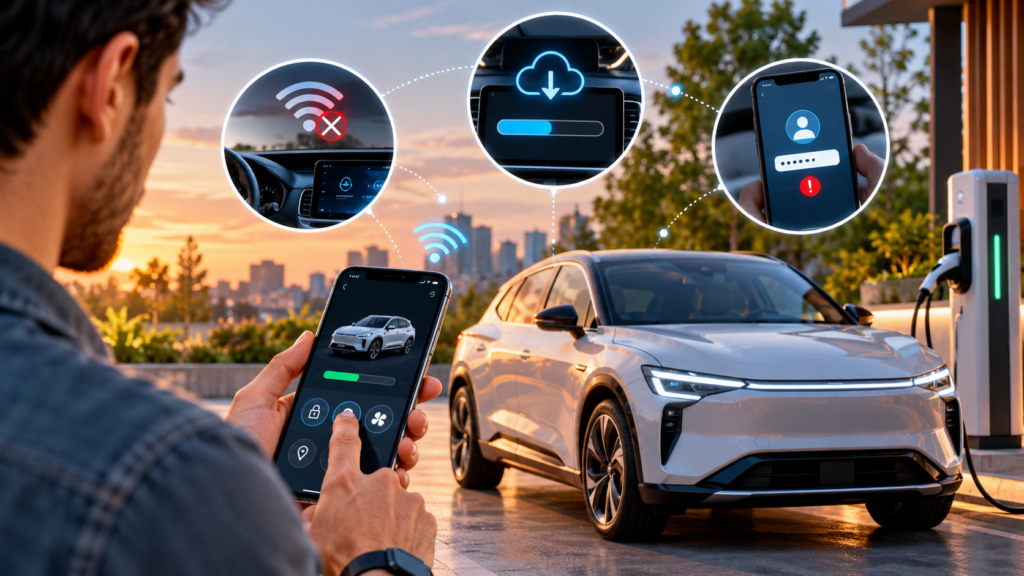
When an electric-vehicle owner cannot sign in to the connected-car app, see live vehicle status, pair a phone, or complete an over-the-air (OTA) update, the problem may sit in several places: the handset, user account, mobile network, vehicle telematics unit, OEM cloud service, or update workflow. Effective EV software support identifies the failing layer before asking the customer to repeat generic troubleshooting steps.
This guide is for EV manufacturers, connected-vehicle teams, dealerships, charging and mobility businesses, and customer-experience leaders. It explains how to triage app login failures, connectivity problems and stuck OTA updates; what support agents should never improvise; and how to measure whether the support process is actually resolving issues.
EV software support: the short answer
Start by identifying the exact symptom, affected feature, vehicle and app versions, time of failure, and whether other services work. Check known service incidents and OEM-approved prerequisites before troubleshooting. Use only model-specific instructions, never request passwords or one-time passwords, and escalate safety-related warnings or failed updates according to the manufacturer’s procedure.
- Login problem: isolate credentials, account ownership, verification, permissions and account-to-vehicle pairing.
- Connectivity problem: determine whether the fault affects the phone, cellular/Wi-Fi network, vehicle telematics, app backend or one specific feature.
- OTA update problem: check eligibility, prerequisites, connectivity, displayed error and update status using the exact vehicle’s approved guidance.
- Repeated or unresolved issue: preserve the case history and route it to the team that can act, rather than repeatedly closing and reopening tickets.
Why connected-car support is harder than ordinary app support
A connected EV experience is a chain of dependent systems. A mobile app may authenticate successfully but fail to refresh vehicle status because the vehicle is offline. Remote climate control may fail while charging information still works. An OTA update may be available for one model or software version but not another. The visible symptom does not, by itself, identify the root cause.
For support teams, this creates a practical challenge: an agent may be able to verify the account and explain the next step, but cannot directly repair a telematics module, restore an OEM cloud service or authorise a software rollout. The workflow must distinguish what the contact centre can resolve from what it can only diagnose, communicate and escalate.
1. EV app login problems: how to triage them
Login failures can result from incorrect account details, use of a different email or phone number than the one linked to the vehicle, expired sessions, verification problems, outdated apps, access permissions or a service-side incident. Exact steps vary by manufacturer and app.
Recommended support sequence
- Confirm the app and account: ask which official app the customer is using and whether the account identifier matches the one used during vehicle delivery or activation.
- Capture the exact error: record the displayed message, approximate time, app version, phone operating system and whether the problem began after an update.
- Check service status: look for a known outage or authentication incident before asking the customer to reinstall the app.
- Use approved account recovery: guide the customer through the official password-reset or verification process. Never ask the customer to disclose a password, OTP, recovery code or authentication token to an agent.
- Check vehicle association: if sign-in works but the vehicle is missing, verify account-to-vehicle association and any required activation or mobile-access setting through the approved procedure.
- Escalate repeat failures: attach the error, timestamps and steps already attempted so the next team does not restart the investigation.
For example, Tesla’s official app guidance recommends checking the account used, app version and relevant vehicle-access settings, with further troubleshooting where needed. Treat that as an example of an OEM-specific process—not a universal procedure for every EV. See Tesla’s official app support guidance.
2. EV connectivity issues: isolate the failing layer
“The app is not connecting” is too broad to route reliably. Ask which function has failed and whether the issue is continuous or intermittent. A remote command failure, stale battery status, lost phone key and missing navigation data may have different causes and owners.
| Observed symptom | Useful checks | Likely next owner |
|---|---|---|
| App will not open or sign in | App version, account recovery, verification error, known app or authentication incident | App support or identity/account team |
| App signs in but vehicle is missing | Vehicle association, activation status, account used at delivery, approved access settings | Connected-services or vehicle activation team |
| Vehicle status is stale | Timestamp of last update, whether other connected features work, vehicle signal and known service incidents | Telematics or connected-platform team |
| Only one remote feature fails | Feature eligibility, permissions, vehicle state, subscription or model-specific restrictions | Feature owner or connected-services team |
| Connectivity drops in certain places | Location, time, network conditions, repeatability and whether the vehicle reconnects elsewhere | Telematics/network team, with field or dealer support if needed |
| Several customers report the same failure | Shared timestamps, software versions, geography, affected models and incident alerts | Incident manager or platform engineering |
Do not assume that a phone restart will solve a vehicle-side connectivity issue. Use a layered checklist: handset and app; account and permissions; network; vehicle telematics; cloud service; and feature-specific logic. If only one function is affected, capture that distinction—it can reduce unnecessary transfers and help engineering narrow the fault.
3. OTA update failures: what support should and should not do
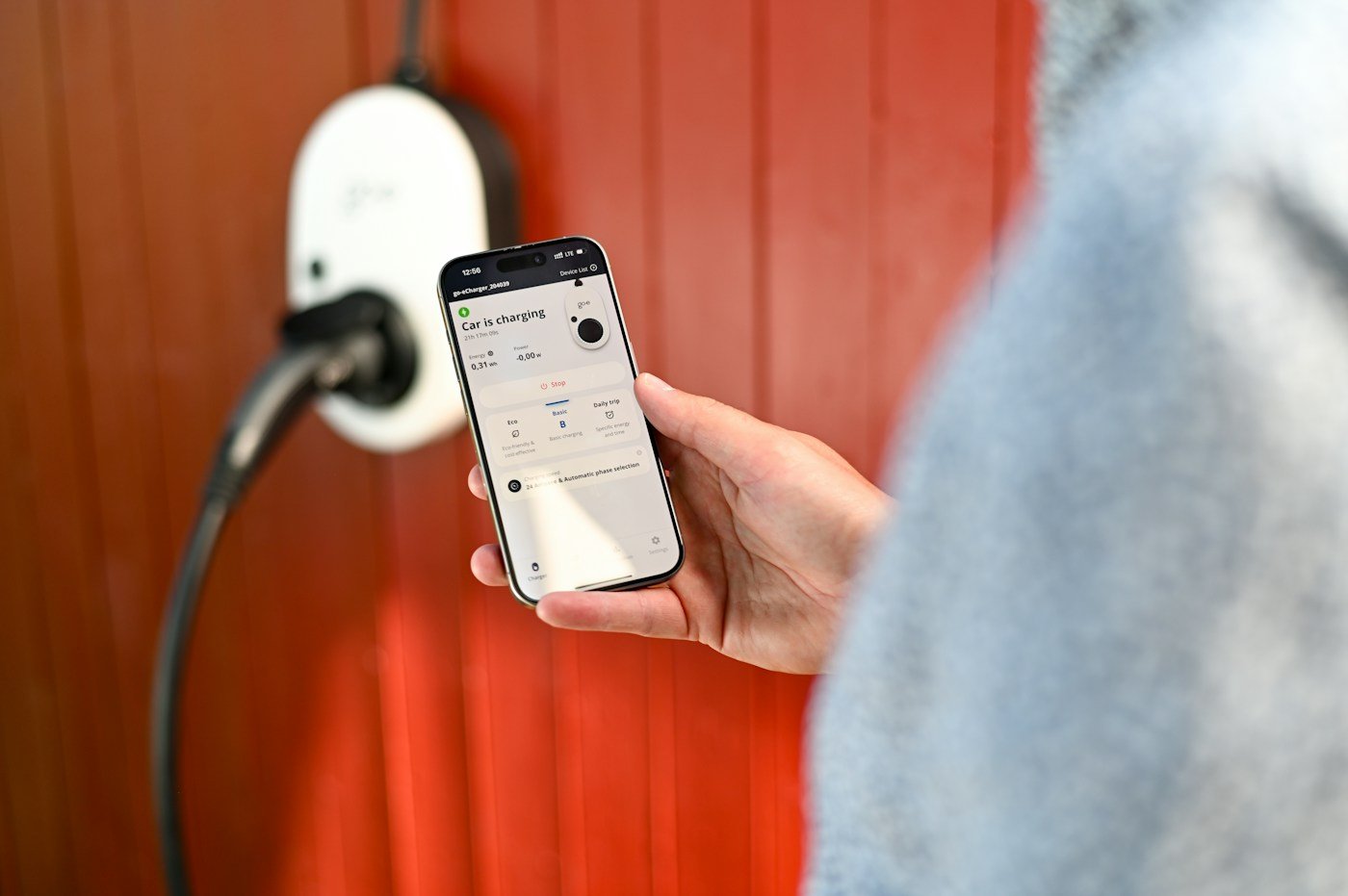
Over-the-air updates can deliver software changes without a conventional workshop visit, but eligibility, prerequisites, installation conditions and recovery steps differ by manufacturer, vehicle model and update type. A generic checklist should help agents collect evidence; it should not replace the OEM’s instructions.
Information to capture before escalation
- Vehicle make, model, model year and software version, where available.
- Update name or version and the stage where it stopped: download, preparation, installation or post-installation check.
- The exact dashboard or app message and any error code.
- When the update started, how long the status has remained unchanged, and whether a notification was received.
- Whether the vehicle meets the manufacturer’s stated prerequisites, using the official instructions for that model.
- Any new warning lights, loss of function or change in vehicle behaviour after the update.
Hyundai Motor India explains that OTA availability, notifications and installation behaviour depend on the vehicle and update process; its guidance also describes how customers are directed when an update fails. Use the instructions for the specific model and do not promise that an update can be cancelled or resumed unless the OEM says so. Read Hyundai India’s OTA guidance.
Do not tell a customer to force a restart, disconnect the vehicle’s battery, interrupt an installation or continue driving when the vehicle displays a safety-related warning unless the manufacturer explicitly instructs them to do so. If the vehicle shows a safety warning or behaves abnormally after an update, follow the OEM’s safety and roadside-assistance process. The contact centre should capture facts and coordinate the correct escalation—not improvise a repair.
Software updates also create a security and integrity responsibility. NHTSA’s vehicle cybersecurity guidance discusses protecting software-update mechanisms and the vehicle systems they affect. It is US guidance rather than Indian law, but it is a useful reference for OEMs and suppliers designing controlled update and incident processes. Review NHTSA’s vehicle cybersecurity best practices.
A practical triage model: SCOPE
The SCOPE model below is an operational framework for this article, not an industry standard. It helps support teams move from a vague symptom to a controlled handoff.
- S — Symptom: record the exact error, affected feature, time and customer-visible impact.
- C — Context: capture model, software/app versions, account or vehicle association, location and recent changes.
- O — Ownership: identify the team authorised to investigate or resolve the issue, and name a case owner.
- P — Permitted checks: follow approved, model-specific steps and stop when a step is unsafe, unavailable or outside the agent’s authority.
- E — Evidence and update: attach the diagnostic details available to support, communicate the next update time, and confirm the outcome before closure.
The important control is ownership. A case can require the app team, telematics engineering, identity services, dealer network or roadside assistance. The customer should not have to coordinate those teams or repeat the full story at every handoff.
Where automation helps—and where a specialist must take over
| Task | Suitable for automation | Human or specialist responsibility |
|---|---|---|
| Initial intake | Collect model, app version, symptom, error and timestamp through a structured form or bot | Clarify ambiguous symptoms and assess urgency |
| Known incidents | Display approved outage notices and service-status updates | Manage exceptions and communicate material changes |
| Routine login guidance | Provide approved recovery steps and route to official account recovery | Handle account ownership disputes and unresolved verification issues |
| OTA update failure | Capture the stage, version, error and prerequisites | Apply OEM-approved escalation and technical recovery procedures |
| Safety-related warning | Recognise defined trigger phrases and initiate the approved escalation path | Qualified teams follow safety, roadside-assistance and dealer protocols |
| Trend detection | Group repeat contacts by error, model, version, location and time | Engineering validates root cause and approves corrective action |
Automation should never invent troubleshooting steps or claim that a vehicle is safe based on a chat response. Use a controlled knowledge base, versioned instructions, clear escalation triggers and an auditable case history. For broader workflow opportunities, automating business processes may help standardise repeatable intake, routing and follow-up. A unified contact center platform can also be evaluated when multiple channels and teams need consistent case visibility.
Which metrics show whether EV software support is working?
Do not judge the operation on average handling time alone. A short interaction that sends the customer to another queue without useful context may reduce the agent’s call time while increasing the total effort and cost of resolution.
| Metric | How to define it | What it reveals |
|---|---|---|
| First-contact resolution | Share of eligible issues resolved in the first contact, with a defined repeat-contact window | Whether agents have the knowledge and authority to solve common problems |
| Repeat-contact rate | Share of cases that generate another contact for the same unresolved reason | Confusing instructions, incomplete fixes or weak handoffs |
| Time to meaningful update | Time until the customer receives a useful status or next step, not just an acknowledgement | Communication gaps while technical work is pending |
| Time to resolution | Elapsed time until the issue is confirmed resolved, with waiting states defined | Where ownership or dependencies slow progress |
| Escalation completeness | Share of escalations containing required diagnostics and prior steps | Whether engineering receives actionable cases |
| Reopen rate | Share of cases reopened after being marked resolved | Premature closure or incomplete fixes |
| Cost per resolved case | Total operating cost divided by cases genuinely resolved | The cost of repeat work, transfers and unresolved contacts |
Agree on definitions before comparing teams or providers. For instance, an automated acknowledgement should not count as a meaningful update, and a ticket sent to engineering should not automatically count as a resolution. Segment results by issue type, model, software version and channel so that one widespread incident does not distort the normal support baseline.
Should EV software support stay in-house or be outsourced?
Keep engineering ownership, release decisions, safety policy, account-security controls and technical recovery authority with the teams that are qualified and authorised to make those decisions. An outsourced contact centre can provide structured intake, customer communication, approved first-line troubleshooting, case coordination and reporting—but it should not be positioned as a substitute for product engineering.
Outsourcing may be worth evaluating when contact volumes are volatile, customers need multilingual coverage, service hours are difficult to staff internally, or product teams are spending too much time answering routine status enquiries. An in-house model may be preferable when volumes are limited, every case requires deep product expertise, or sensitive diagnostic access cannot be safely delegated.
Before appointing a provider, ask how it will:
- Train agents on model-specific knowledge and keep instructions current after app or software releases.
- Separate first-line troubleshooting from restricted engineering or safety decisions.
- Integrate case records with CRM, ticketing and incident-management systems.
- Protect credentials and personal data, limit access, and retain auditable case histories.
- Report repeat contacts, reopen rates, escalation quality and resolution—not only call volume.
- Manage launch readiness, release-related contact spikes, knowledge changes and transition or exit.
For a broader assessment of delivery options, review customer support outsourcing and compare the scope with your issue volumes, language needs, hours of coverage, integration requirements and technical escalation boundaries. Use your issue volumes, language needs, coverage requirements and escalation boundaries to assess the appropriate operating model.
How to estimate the cost of EV app and software support
There is no defensible universal price without knowing contact volumes, channel mix, language coverage, operating hours, training complexity, knowledge maintenance, system integration, quality monitoring and the share of cases that require specialist escalation. Compare total operating cost rather than a headline agent rate.
Use this formula: monthly support operating cost ÷ cases genuinely resolved = cost per resolved case. Include agent and supervisor time, training, tools, quality assurance, management, repeat contacts and integration. Define whether cases waiting on engineering count as open, and do not count transfers as resolutions.
Illustrative example—not MasCallNet performance data: a team spending ₹4,00,000 per month and resolving 2,000 cases has a cost of ₹200 per resolved case. If the same spend results in only 1,600 resolved cases, the cost rises to ₹250. These figures are hypothetical and are included only to show the calculation; replace them with actual finance and case-management data before making a sourcing decision.
A 30-day plan to improve the support workflow
- Week 1 — Baseline: classify the most common login, connectivity and OTA contacts. Capture repeat contacts, unresolved cases, issue age and escalation destination.
- Week 2 — Standardise: create symptom-specific intake forms, approved troubleshooting paths, safety stop rules and escalation checklists.
- Week 3 — Pilot: test the workflow on a limited set of issue types. Review a sample of cases for correct routing, complete diagnostics and clear customer updates.
- Week 4 — Review: compare against the baseline, identify repeat failure patterns, assign root-cause owners and update the knowledge base only after the responsible team approves the change.
Do not roll out a new bot or script solely because it reduces handling time. Scale only when the pilot demonstrates better resolution quality, fewer avoidable repeat contacts or more complete escalations without creating new safety or security risks.
Frequently asked questions
Why is my EV app not connecting to my car?
The cause may be account-to-vehicle pairing, mobile access settings, network coverage, vehicle telematics, an app/backend incident or a feature-specific restriction. Capture the exact symptom and check the manufacturer’s guidance before attempting resets or reinstallations.
What should support ask when an EV app login fails?
Ask which official app is being used, the error message, app version, phone operating system, account identifier in a privacy-safe form, and whether the problem began after a recent change. Never ask for the customer’s password or OTP.
Why is my vehicle not showing in the connected-car app?
Possible causes include a different account being used, incomplete vehicle activation, missing account association or a connected-services issue. Verify the account and vehicle association using the OEM’s approved process.
What should I do if an EV OTA update is stuck?
Record the update stage, message, version and time elapsed, then follow the instructions for the exact vehicle and update. Do not force a restart or interrupt installation unless the manufacturer explicitly instructs you to do so.
Can a customer support agent fix a failed OTA update?
An agent may collect diagnostic details and guide the customer through approved checks. Recovery actions that require engineering authority, restricted tools or safety judgement should be handled by the authorised technical team.
Is a failed connected-car app always a vehicle fault?
No. The fault may be in the handset, app, account, network, vehicle telematics, backend service or one specific feature. Identifying which functions still work helps narrow the cause.
Can AI troubleshoot EV software problems?
AI can collect structured details, provide approved guidance, identify known incidents and route cases. It should not invent repair instructions, request authentication secrets or make safety decisions beyond a validated escalation policy.
Which KPIs matter most for EV software support?
Track first-contact resolution, repeat-contact rate, time to meaningful update, time to resolution, escalation completeness, reopen rate and cost per resolved case. Use consistent definitions and segment by issue type and software version.
When should EV brands outsource connected-car support?
Consider outsourcing routine intake, approved first-line guidance and case coordination when coverage or volume exceeds internal capacity. Retain clear internal ownership for engineering fixes, software release decisions, safety protocols and restricted account or vehicle controls.
How can EV brands reduce repeat calls about app and connectivity issues?
Link contacts to a single case, record the exact error and steps attempted, provide a named owner and next-update time, and analyse repeated patterns by model, app version and location. Close cases only after the defined resolution criteria are met.
Make connected-vehicle support measurable
EV app, connectivity and OTA problems often cross team boundaries. The most useful support model makes those boundaries invisible to the customer while preserving technical accountability: capture the right evidence, use approved steps, communicate clearly, and escalate to the team that can resolve the fault.
If you are reviewing how customer enquiries are handled across connected-vehicle services, discuss your contact centre requirements with MasCallNet. Start with your top issue categories, current repeat-contact rate, escalation routes and coverage requirements; those details provide a practical basis for evaluating the operating model.