
Customer Service Automation: The Complete Guide for 2026
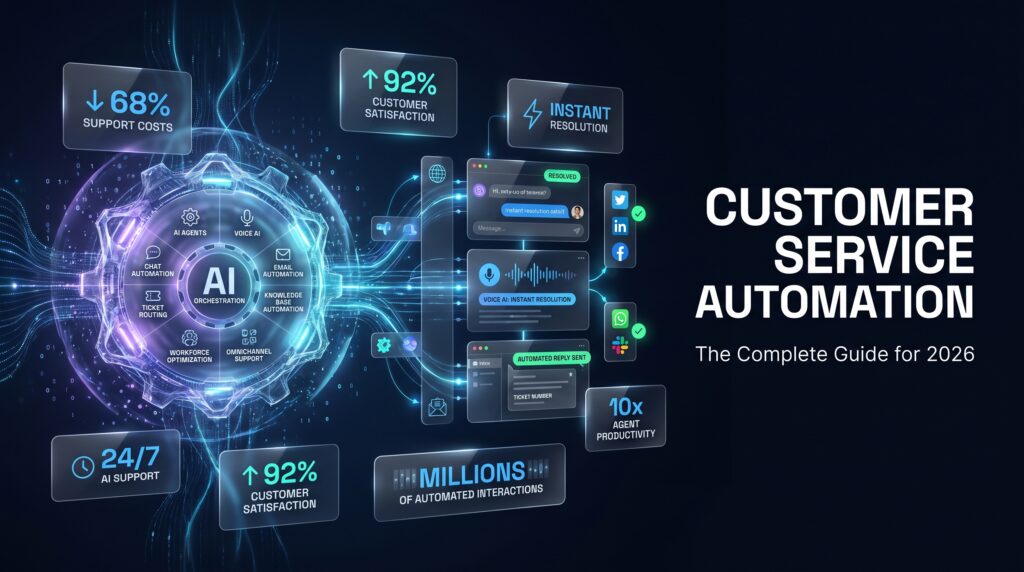
Customer service automation is reshaping how businesses support their customers in 2026. Whether you run a growing e-commerce brand, a SaaS company, or a global enterprise, automating repetitive support tasks can slash costs, eliminate wait times, and deliver consistent experiences at any scale. This guide covers everything you need to know: what customer service automation is, which tools lead the market, the measurable benefits and ROI you can expect, and a proven implementation framework to get started without sacrificing the human touch.
What Is Customer Service Automation?
Customer service automation is the use of technology — artificial intelligence, software bots, rule-based workflows, and machine learning — to handle support interactions that would otherwise require a human agent. Automated customer support systems can respond to inquiries, route tickets, process refunds, update account data, and resolve common issues around the clock, instantly, and without agent involvement.
The goal is not to eliminate human agents. It is to free them from repetitive, low-complexity tasks so they can focus on emotionally complex, high-value interactions where empathy and judgment matter most.
In 2026, modern customer service automation encompasses conversational AI, intelligent voice response, predictive ticket routing, and deep CRM integration — a significant leap from the rule-based chatbots of five years ago.
Types of Customer Service Automation
Understanding the categories of automation helps you select the right mix for your customer journey.
AI-Powered Chatbots
Chatbots handle inbound chat and messaging inquiries on websites, mobile apps, and social platforms. Modern chatbots use large language models (LLMs) and intent recognition to understand natural language rather than relying on rigid keyword triggers. They can answer FAQs, process orders, retrieve account information, and escalate complex issues to human agents with full conversation context intact.
Interactive Voice Response (IVR) and Conversational IVR
Traditional IVR systems use touch-tone menus to route calls. Conversational IVR — powered by natural language processing (NLP) — allows callers to speak their needs naturally. Intelligent IVR systems authenticate callers, capture intent, and resolve simple voice requests (balance inquiries, appointment scheduling, bill payment) without agent involvement. Learn more about how NLP is transforming contact center voice interactions.
Email Automation
AI-driven email automation classifies inbound support emails, extracts intent and sentiment, routes messages to the correct team or queue, and can send pre-built responses for common request types. Combined with ticket management platforms, email automation dramatically reduces first-response times and prevents tickets from falling through the cracks.
AI Virtual Agents
AI virtual agents are more sophisticated than chatbots. They handle multi-turn conversations, execute back-end actions (process a return, update a shipping address, cancel a subscription), and can manage complex resolution flows across multiple systems. These are often the centerpiece of a mature AI customer service automation strategy.
Self-Service Portals and Knowledge Bases
Structured, searchable self-service portals allow customers to find answers without contacting support at all. AI-powered knowledge bases use semantic search and personalization to surface the most relevant articles based on a customer’s history and current context.
Robotic Process Automation (RPA)
RPA bots automate back-office support tasks: data entry across systems, account verification, returns processing, and compliance checks. These bots run without a user interface, integrating with legacy systems that lack modern APIs. Explore Mascallnet’s broader business process automation capabilities for enterprise workflows.
Proactive Notifications and Outbound Automation
Instead of waiting for customers to contact support, proactive automation sends order updates, appointment reminders, payment alerts, and issue notifications before customers even realize a problem exists. This category dramatically reduces inbound volume on predictable, event-driven inquiry types.
Customer Service Automation Benefits
The business case for automated customer support is compelling across four dimensions: cost, speed, scale, and consistency.
Cost Reduction
The most visible benefit. Automated interactions cost a fraction of human-handled contacts. Industry benchmarks place the cost of a bot-resolved interaction between $0.05 and $0.25, versus $5–$12 for a fully human-handled contact. For high-volume operations, the savings compound rapidly. Organizations deploying AI automation in contact centers are reporting cost reductions of 30–50% on targeted interaction types. See how AI automation in call centers drives cost savings and CX improvements.
Speed and Availability
Automated systems respond in milliseconds, 24 hours a day, 7 days a week, across every time zone. Average handle time (AHT) for automated resolutions is near zero for self-service completions. First-response time drops from hours to seconds. For customers expecting instant answers, this is a fundamental competitive differentiator.
Scale Without Proportional Headcount Growth
A human support team’s capacity is linear — double the volume, double the headcount. Automation scales horizontally without proportional cost increases. During seasonal peaks, promotional launches, or unexpected volume spikes, automated systems absorb demand while human agent capacity is preserved for escalations.
Consistency and Quality Control
Every automated interaction follows the same rules, uses the same approved language, and applies the same policies. There are no bad days, miscommunications due to fatigue, or compliance gaps from an undertrained agent. For regulated industries, this consistency has direct legal and reputational value.
Agent Experience and Retention
Automating repetitive, low-complexity tasks makes the remaining work more meaningful for human agents. Agents who handle fewer repetitive queries report higher job satisfaction and lower burnout — reducing costly attrition in a high-turnover industry.
Customer Service Automation ROI: Industry Benchmarks
ROI from customer service automation depends on automation rate, interaction volume, and the cost baseline. Here are current industry benchmarks from 2026:
| Metric | Pre-Automation Baseline | Post-Automation Benchmark |
|---|---|---|
| Automation (deflection) rate | 0–10% | 40–70% (mature programs) |
| Cost per contact | $5–$12 | $1–$3 blended |
| First-response time (chat) | 2–8 minutes | <5 seconds |
| CSAT score (automated interactions) | — | 75–85% for well-designed flows |
| First-contact resolution (FCR) | 60–70% | 75–88% (AI-assisted routing) |
| Average payback period | — | 6–18 months |
For a 200-seat contact center handling 500,000 contacts per month, a 50% deflection rate at a blended saving of $4 per contact yields $1 million per month in savings — a typical 12-month payback on a $10–15 million automation investment. For smaller operations, payback periods are shorter because proportional cost savings materialize faster.
Compare the full economics in Mascallnet’s detailed outsourcing vs. automation cost-efficiency ROI comparison.
Top Customer Service Automation Technologies in 2026
The technology stack underpinning modern customer service automation tools has matured rapidly. Key technologies include:
Large Language Models (LLMs)
LLMs power next-generation virtual agents capable of understanding nuance, context, and multi-turn conversations. Models fine-tuned on domain-specific support data outperform general-purpose models on intent accuracy and response quality. In 2026, LLM-powered agents are the primary driver of automation rate improvements.
Natural Language Processing and Understanding (NLP/NLU)
NLP engines extract structured meaning from unstructured text and voice. NLU specifically identifies customer intent, entities (order numbers, dates, product names), and sentiment. High-accuracy NLU is the foundation of any effective automation pipeline — poor intent recognition is the leading cause of failed deflection.
Machine Learning for Predictive Routing
ML models analyze historical interaction data to predict optimal routing decisions: which agent, which queue, which channel, and which knowledge article is most likely to resolve a given inquiry. Predictive routing reduces handle time and escalation rates simultaneously.
Generative AI for Agent Assistance
Even when a human agent handles an interaction, generative AI can assist in real time — suggesting responses, summarizing long conversation histories, retrieving relevant knowledge articles, and auto-completing after-call work (ACW). This “assisted automation” category is growing rapidly as a bridge between full automation and human service delivery.
Integration Middleware and APIs
Automation tools create value only when they connect to the systems of record: CRM, order management, billing, inventory, and ticketing platforms. Modern automation platforms offer pre-built connectors and low-code integration tools that reduce implementation timelines significantly.
For a broader look at how these technologies fit together, see Mascallnet’s guide to intelligent automation for enterprises.
How to Automate Customer Service Without Losing the Human Touch
The most common fear about customer service automation is that it degrades the customer experience by removing human connection. Done poorly, it absolutely can. Done well, it enhances human interactions by ensuring agents are available, informed, and focused when customers need them most.
Design for Graceful Escalation
Every automated flow must have a clear, low-friction path to a human agent. Customers who feel trapped in an automation loop become frustrated and churn. Well-designed escalation paths — triggered by sentiment detection, repeated misunderstanding, or customer request — hand off to human agents with full context so the customer never has to repeat themselves.
Use AI to Augment, Not Just Replace
Deploy AI assist tools alongside automation. When a customer reaches a human agent, the agent sees AI-generated summaries, suggested responses, and relevant knowledge articles. The interaction feels human but is faster and more accurate.
Personalize Automated Interactions
Automation that feels generic frustrates customers. Use CRM data to personalize chatbot conversations with the customer’s name, recent order history, and known preferences. A personalized automated experience outperforms a generic human interaction in customer satisfaction studies.
Be Transparent About Automation
Research consistently shows customers accept automated interactions when they are transparent about it. Virtual agents that misrepresent themselves as human generate strong negative backlash when discovered. Disclose automation, but make the experience so good that customers do not mind.
Continuously Improve Flows
Automation is not a set-and-forget deployment. Monitor conversation logs, low-confidence intent scores, and escalation triggers to identify where flows break down. Iterative improvement separates world-class automation programs from mediocre ones.
Customer Service Automation Implementation Framework: 6 Steps
A structured approach to implementation is the difference between a pilot that stalls and a program that scales. Follow this six-step framework to automate customer service successfully.
Step 1: Audit Your Contact Drivers
Analyze 90 days of contact data to identify your top 20 inquiry types by volume. Focus on categories that are high-volume, low-complexity, and rule-based — these are your best automation candidates. Common examples: order status, password reset, billing inquiries, appointment scheduling, and FAQ resolution.
Step 2: Define Automation Scope and Channel Priority
Decide which channels to automate first. Chat typically offers the fastest ROI because asynchronous interactions are easier to automate than real-time voice. Rank channels by volume, cost per contact, and technical readiness.
Step 3: Select the Right Platform
Evaluate automation platforms against four criteria: NLU accuracy on your domain, integration capabilities with your existing tech stack, total cost of ownership (including implementation and training), and vendor support quality. Request proof-of-concept testing on live data before committing.
Step 4: Build, Test, and Iterate Flows
Start with your top three automation use cases. Build conversation flows collaboratively with customer service team members who understand common customer language. Test with real customer inputs — not just idealized test scripts. Iterate based on intent accuracy and resolution rates before scaling.
Step 5: Train and Align Your Team
Agent buy-in is critical. Frame automation as a tool that removes tedious work, not a threat to employment. Train agents on escalation handling, AI assist tools, and how to provide feedback on automation failures. Their input improves the system continuously.
Step 6: Measure, Optimize, Expand
Track the key metrics from day one. Set monthly targets for deflection rate, CSAT, and cost per contact. Hold quarterly optimization reviews. Expand automation coverage systematically as you prove ROI on each use case.
Automation by Channel: Voice, Chat, Email, Social, Self-Service
Each support channel has distinct automation characteristics and maturity levels.
Voice (Phone)
Voice automation through conversational IVR and AI-powered virtual agents can deflect 20–40% of inbound calls in well-implemented programs. Authentication, simple inquiries, and proactive outbound notifications are the highest-value use cases. Mascallnet’s CallMaster platform is purpose-built for intelligent voice automation at scale.
Chat and Messaging
Chat has the highest automation potential. AI chatbots on websites and apps routinely achieve 50–70% deflection rates for well-defined use cases. Asynchronous messaging (WhatsApp, SMS) is similarly automatable. Chat automation is typically the first deployment for organizations beginning their automation journey.
Email automation focuses on classification, routing, and templated response generation. Full end-to-end email resolution (without human review) is harder to achieve because email inquiries tend to be more complex. AI-assisted triage that auto-suggests responses for agent approval is a practical intermediate step that reduces email handle time by 40–60%.
Social Media
Social automation tools monitor brand mentions, classify sentiment, and route complaints to support queues automatically. Rule-based responses to common public inquiries are increasingly common. However, brand reputation risk means most organizations apply human review to public social responses before publishing.
Self-Service Portal
AI-powered knowledge bases and self-service portals are the highest-deflection category when designed well. Customers who successfully self-serve have higher satisfaction scores than those who waited for agent-assisted resolution. Investing in searchable, well-structured knowledge content yields compounding returns as automation surfaces it intelligently.
Customer Service Automation Metrics That Matter
Measuring the right metrics ensures your automation program drives real business outcomes — not just activity.
Deflection Rate
The percentage of contacts fully resolved by automation without human involvement. This is the primary volume and cost metric. Target 40–60% for mature chat programs, 20–40% for voice.
Customer Satisfaction Score (CSAT)
Track CSAT separately for automated and human-handled contacts. The goal is not just to automate — it is to automate at quality. Automated CSAT scores below 70% signal flow design problems that need immediate attention.
Average Handle Time (AHT)
For interactions that escalate to human agents, measure AHT pre- and post-automation. AI assist tools and warm handoff context should reduce AHT by 15–25%.
First Contact Resolution (FCR)
FCR measures how often customers’ issues are resolved in a single interaction. Automation improves FCR by enabling faster routing to the right resource and giving agents the context they need to resolve issues on first contact.
Containment Rate
Similar to deflection, containment measures how often a customer who starts in an automated channel stays in that channel through resolution. Low containment rates indicate escalation path issues.
Cost Per Contact (CPC)
The blended cost per contact — automated and human — should decline as automation matures. Track this monthly and set annual reduction targets tied to your automation roadmap.
Common Customer Service Automation Mistakes to Avoid
Most automation programs that underperform make one or more of these predictable errors:
- Automating complex use cases first. Start with high-volume, low-complexity inquiries. Attempting to automate nuanced, multi-step resolutions before simple ones is a common failure mode.
- Neglecting escalation design. Flows that trap customers without a clear agent path create frustration and drive churn. Always build a graceful exit.
- Deploying automation without sufficient training data. LLM and NLU models need domain-specific training data to perform accurately. Generic models fail on industry jargon and brand-specific product names.
- Ignoring post-deployment optimization. Automation performance degrades over time as products, policies, and customer language evolve. Plan for quarterly audits and continuous retraining.
- Treating automation as a cost-cut, not a CX investment. Organizations that automate purely to cut costs without investing in quality produce poor customer experiences. The best programs improve both cost efficiency and customer satisfaction simultaneously.
- Siloing automation from agent workflows. Automation and human service must be integrated. Disconnected systems create handoff failures that destroy the customer experience at the moment of escalation.
Automation + Outsourcing: The Optimal Hybrid Strategy
A common false choice in customer service strategy is “automate everything” versus “outsource everything.” In 2026, the highest-performing CX operations combine both. Automation handles the high-volume, routine tier. A strategic BPO partner handles complex, sensitive, and high-value interactions that require human judgment.
This hybrid model delivers three advantages simultaneously: the cost efficiency of automation, the flexibility of outsourced headcount, and the service quality of specialist agents focused on complex interactions. The result is a CX operation that scales economically, handles demand variability gracefully, and consistently delivers superior service on the moments that matter most.
AI is also transforming how BPO services operate from within — enabling BPO agents to handle more complex work more efficiently. See how AI is transforming BPO services in 2026 with 40% cost reductions.
Mascallnet Automation-Enabled CX Services
Mascallnet combines technology and managed services to deliver automation-powered customer experience at scale. Our approach integrates AI automation with expert human teams, giving clients the benefits of both without the complexity of managing multiple vendors.
Our service portfolio includes:
- AI-powered voice and chat automation via our CallMaster platform — designed for enterprise-grade deflection at scale
- Intelligent enterprise automation that integrates with existing CRM, ERP, and ticketing systems without rip-and-replace infrastructure changes
- Hybrid automation + outsourcing models that flex with demand and deliver consistent quality across automated and human touchpoints
- Continuous optimization programs with dedicated automation engineers who improve your deflection rates and CSAT scores quarter over quarter
For organizations evaluating where automation fits in their customer service strategy, our team provides complimentary contact driver analysis and automation opportunity assessments.
Frequently Asked Questions About Customer Service Automation
What is customer service automation?
Customer service automation is the use of AI, chatbots, IVR, RPA, and workflow software to handle support interactions without human agent involvement. It enables businesses to resolve common inquiries instantly, 24/7, at a fraction of the cost of human-handled contacts.
What are the most common customer service automation tools?
The most widely deployed customer service automation tools in 2026 include AI chatbots (such as those built on GPT-4 class models), conversational IVR systems, AI virtual agents, email classification and routing platforms, self-service knowledge bases, and RPA tools for back-office support workflows.
How much does customer service automation cost?
Costs vary significantly by scope and vendor. Cloud-based chatbot platforms typically start at $500–$5,000 per month for small to mid-market deployments. Enterprise-grade conversational AI platforms range from $50,000 to $500,000+ annually, depending on interaction volume, integrations, and support tier. ROI typically materializes within 6–18 months for programs deployed against high-volume use cases.
What is a good automation (deflection) rate for customer service?
For chat, a deflection rate of 40–60% is achievable in mature automation programs. Voice automation typically achieves 20–40% deflection on inbound call volume. Email automation tends to achieve 20–40% full self-service resolution, with additional improvement in agent-assisted triage. Programs below 30% deflection on chat after 12 months usually have flow design or NLU accuracy issues worth investigating.
Can customer service automation improve CSAT?
Yes — when designed well. Automated interactions that resolve issues quickly and correctly score as high as, or higher than, human-handled contacts in CSAT surveys. The key is resolution quality: customers care about getting their issue solved, not whether a human or bot solved it. Poor automation that fails to resolve issues consistently damages CSAT.
What customer service interactions should NOT be automated?
Interactions involving significant emotional distress (bereavement, medical emergencies, major financial disputes), complex multi-party negotiations, high-value retention scenarios, and situations requiring nuanced judgment should involve human agents. Automation should handle the routine tier so human agents are available and focused on these high-stakes moments.
How does AI customer service automation differ from traditional chatbots?
Traditional rule-based chatbots follow fixed decision trees and fail when customers phrase requests in unexpected ways. AI customer service automation uses NLP, machine learning, and LLMs to understand natural language, infer intent, and handle novel phrasings not explicitly programmed. AI systems also improve over time as they learn from interaction data.
How long does it take to implement customer service automation?
A focused pilot covering two to three use cases on a single channel (typically chat) can be live in 6–12 weeks with a modern cloud platform. Enterprise-wide multi-channel programs take 6–18 months to fully deploy, integrate, and optimize. The biggest implementation delays are typically on the integration side — connecting to existing CRM and ticketing systems.
How do I measure the ROI of customer service automation?
Calculate ROI by multiplying deflected contact volume by your cost-per-human-contact savings, then subtract the total automation program cost (platform, implementation, ongoing optimization). Add secondary value from AHT reduction on escalated contacts, CSAT improvements (tied to revenue retention), and agent attrition reduction. Most well-designed programs achieve positive ROI within the first year.
Should I automate customer service or outsource to a BPO?
The answer is almost always both. Automation handles high-volume routine inquiries at the lowest cost. A BPO partner provides skilled, flexible human capacity for complex interactions. The optimal strategy layers automation over outsourced operations — reducing the total contact volume the BPO handles while ensuring the human tier delivers quality service on the moments that matter. This hybrid model consistently outperforms pure automation or pure outsourcing on cost, quality, and scalability.