
AI Chatbot for Customer Support: The Complete Implementation Guide 2026
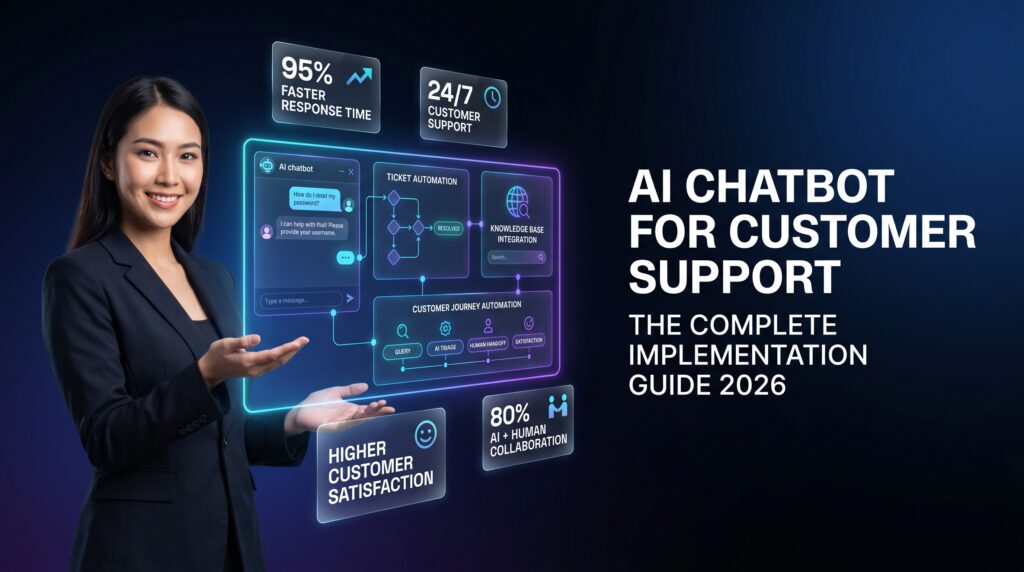
Implementing an AI chatbot for customer support is one of the highest-ROI technology investments available to customer experience leaders in 2026. With AI chatbot interactions costing an average of $0.50 compared to $6.00 for human-agent contacts, and top-performing deployments delivering 340% first-year ROI, the business case is undeniable. Yet most organizations that deploy chatbots fail to unlock their full potential because they treat deployment as a technology project rather than a customer experience transformation.
This implementation guide cuts through the noise. Whether you are deploying your first support chatbot or scaling an existing system, you will leave with a proven framework covering use-case selection, platform evaluation, integration architecture, conversation design, and performance optimization — everything required to build an AI support chatbot that resolves issues, satisfies customers, and delivers measurable business outcomes.
What Is an AI Chatbot for Customer Support?
An AI chatbot for customer support is a conversational software system that uses large language models (LLMs), natural language processing (NLP), and retrieval-augmented generation (RAG) to understand customer inquiries and provide accurate, contextual responses — without requiring a human agent for every interaction.
Modern customer support chatbots differ fundamentally from the rule-based “decision tree” bots of the previous decade. Today’s AI-powered systems can:
- Interpret ambiguous, free-form customer messages and identify intent
- Retrieve accurate answers from your knowledge base, product documentation, and policy library
- Execute actions — look up order status, process returns, reset passwords, update account details
- Maintain context across multi-turn conversations without losing thread
- Recognize when an issue requires human expertise and escalate with full conversation context preserved
- Operate across web chat, mobile, WhatsApp, SMS, and email within a unified system
The critical distinction from earlier generations: today’s chatbots are grounded in your proprietary knowledge rather than generic training data, making responses auditable, brand-consistent, and accurate to your specific products and policies.
The Business Case: ROI Statistics and Market Data for 2026
Before committing to an implementation, understanding the quantified opportunity ensures stakeholder alignment and realistic success metrics.
Market Growth and Adoption
The global AI-powered customer service market is projected to reach $15.12 billion in 2026, growing to $117.87 billion by 2034 at a 25.8% compound annual growth rate. Adoption has reached an inflection point: 91% of businesses with 50 or more employees now use AI chatbots in at least one stage of their customer journey, while 80% of routine customer interactions are expected to be fully handled by AI through 2026.
Financial Performance
The ROI case for AI chatbots in customer support is among the strongest in enterprise technology:
- Cost per interaction: $0.50 average for AI chatbot vs. $6.00 for human agent — an 88% cost reduction
- First-year ROI: Companies report an average 340% return, with top performers achieving up to 8x returns
- Ticket deflection: Well-configured chatbots resolve 60–80% of repetitive queries, reducing average handle time by up to 50%
- Global labor cost savings: Gartner projects AI will reduce contact center agent labor costs by $80 billion globally in 2026
- Annual savings projection: Global savings from AI customer service implementations are estimated at $8 billion in 2026
Customer Experience Impact
Contrary to early concerns about customer preference, AI chatbots now score strongly on satisfaction metrics. 75% of customers prefer chatbots for transactional tasks including order tracking, FAQ inquiries, and account updates. AI-powered support reduces first response times by 37% on average, and 92% of businesses report improved customer satisfaction scores after implementing AI chatbots.
Types of AI Chatbots for Customer Support
Not all AI chatbots are built the same. Understanding the architecture types helps you select the right approach for your use case and customer base.
1. Retrieval-Augmented Generation (RAG) Chatbots
RAG chatbots connect an LLM to your knowledge base, documentation, and policy library. When a customer asks a question, the system retrieves the most relevant content from your approved sources and generates a response grounded in that material. Answers are accurate, auditable, and automatically improve as you update your knowledge base. This is the recommended architecture for most customer support applications in 2026.
2. Task-Execution Chatbots
These systems integrate with back-end platforms — CRM, order management, billing, and ticketing systems — to perform actions on the customer’s behalf. Examples include processing a refund, updating a shipping address, resetting a password, or checking real-time inventory. Task-execution chatbots deliver the highest containment rates because they fully resolve issues rather than just providing information.
3. Hybrid AI-Human Systems
Most enterprise deployments combine AI chatbots with human agents in a tiered model. The chatbot handles Tier 1 volume (FAQs, account inquiries, status updates), escalates complex or high-value cases to agents with full context, and handles post-resolution follow-up. This architecture optimizes agent bandwidth for high-complexity work while maintaining the human touch where it matters most.
Step-by-Step AI Chatbot Implementation Framework
A successful AI chatbot deployment follows a structured six-phase process. Organizations that skip phases — especially use-case scoping and integration testing — consistently underperform against their business case.
Phase 1: Define Objectives and Scope Use Cases
Start with outcomes, not features. Before evaluating vendors or designing conversation flows, answer these questions with data from your support operations:
- Which inquiry types consume the most agent time per month?
- Which inquiry types have the highest first-contact resolution rate when handled by agents?
- Which issues require real-time system access (order status, account lookup) vs. informational answers?
- What percentage of your volume arrives outside business hours?
From this analysis, identify 2–3 high-volume, low-complexity intent categories to target in your initial deployment. Password resets, order status inquiries, return policy questions, and billing FAQs are consistently the highest-ROI starting points. This narrow scope lets you prove accuracy in production before expanding.
Establish measurable success criteria at this stage: target autonomous resolution rate, CSAT score, escalation rate, and cost per resolved ticket. These baselines enable rigorous post-launch measurement.
Phase 2: Evaluate and Select a Platform
The chatbot vendor landscape in 2026 spans hundreds of platforms with widely varying capabilities. Use these six criteria to evaluate vendors:
| Criterion | What to Look For | Why It Matters |
|---|---|---|
| Channel Coverage | Web chat, SMS, WhatsApp, mobile in-app, email | Single-channel platforms create future migration costs |
| Knowledge Base Grounding | RAG architecture, not generic LLM responses | Accuracy and auditability depend on your data, not vendor training |
| Escalation Design | Context-preserving handoff to live agents | Customers should never repeat themselves post-escalation |
| Integration Depth | Native connectors to your help desk and CRM | Bi-directional data sync enables task execution and ticket creation |
| Analytics and Reporting | Intent-level resolution rates, CSAT, deflection tracking | Optimization requires granular performance visibility |
| Security and Compliance | SOC 2 Type II, GDPR compliance, data residency options | Customer data protection and regulatory requirements |
Insist on a proof-of-concept pilot using your actual knowledge base and ticket history before committing to a vendor. Performance on standardized demos rarely reflects performance on your specific content and customer language patterns.
Phase 3: Design Conversation Architecture
Conversation design is where most implementations fail. Overly rigid flows that break when customers deviate from the planned path produce high escalation rates and negative experiences. The best-performing chatbots are designed with intent flexibility rather than fixed decision trees.
Core conversation design principles:
- Always provide human escalation: Every conversation flow must include an accessible path to a human agent. Customers who cannot escape a chatbot loop become frustrated and disloyal. There are no exceptions to this rule.
- Design for deviation: Assume customers will not follow your planned path. Train for intent variations, abbreviations, typos, and topic changes mid-conversation.
- Collect context before escalating: When escalation is triggered, the chatbot should collect customer name, account identifier, and issue description before transferring — so the agent receives a complete brief, not a cold handoff.
- Set expectations accurately: Tell customers upfront what the chatbot can and cannot help with. Honest capability disclosure reduces frustration when limitations are encountered.
- Use confirmations strategically: For actions with consequences (processing returns, updating account data), require explicit confirmation before execution.
Phase 4: Build Integrations
A chatbot without system integrations can answer questions but cannot resolve issues. Enterprise-grade AI chatbot deployments require four core integration layers:
Knowledge Base Integration: Connect your help center, product documentation, internal knowledge base, and policy library. Implement a content refresh schedule — stale knowledge produces hallucinated responses. Most RAG-based systems support automatic re-indexing when source content is updated.
Help Desk Integration: Every conversation that escalates or fails to resolve should automatically create a ticket in your help desk (Zendesk, Freshdesk, Salesforce Service Cloud, Intercom) with the full chat transcript, identified intent, customer record, and suggested priority. This eliminates manual ticket creation and preserves context for the receiving agent.
CRM Integration: Connect customer identity verification so the chatbot can greet returning customers by name, access account history, and provide personalized responses. CRM integration also enables proactive service — triggering outbound chatbot interactions based on customer events such as shipping delays or subscription renewals.
Back-End System Integration: For task-execution use cases, integrate with order management, billing, inventory, and authentication systems. This is the layer that enables the chatbot to take action — not just provide information. Native connectors to major platforms (Shopify, Salesforce, SAP, custom APIs) significantly reduce integration development time.
Security note: implement least-privilege API access for each integration. The chatbot should read and write only the specific data required for its approved use cases.
Phase 5: Test, Pilot, and Launch
Never launch a customer-facing AI chatbot without structured testing. A three-stage testing protocol protects your brand and customer experience:
Internal QA Testing: Map your 50 most common support intents and run all of them through the chatbot manually. Evaluate accuracy, response quality, and escalation behavior. Resolve failures before proceeding.
Shadow Testing: Run the chatbot in read-only mode alongside live agent conversations for 1–2 weeks. Compare chatbot responses to agent responses on the same intents. This surfaces gaps in knowledge base coverage and conversation design before any customer impact.
Controlled Pilot: Launch to 10–20% of live traffic for your target use cases. Monitor resolution rates, CSAT scores, and escalation triggers daily. Use this data to refine flows and expand coverage before full rollout.
Simple deployments can go live within weeks. Enterprise implementations with deep back-end integrations and multi-channel deployment typically phase over 60–120 days.
Phase 6: Monitor, Optimize, and Expand
Deployment is the beginning, not the end. AI chatbot performance degrades over time as products change, policies evolve, and customer language shifts. Establish a continuous improvement cadence:
- Weekly: Review escalation transcripts to identify recurring failure patterns. Update knowledge base entries for top-missed intents.
- Monthly: Analyze intent-level resolution rates. Prioritize training improvements for high-volume, low-resolution intents.
- Quarterly: Review use-case coverage and expand to the next tier of high-volume intents. Evaluate new channel opportunities (WhatsApp, in-app).
- Annually: Benchmark against market performance standards. Evaluate platform capabilities against evolving AI capabilities.
Training Your AI Chatbot on Your Business
The quality of your AI chatbot’s responses is directly proportional to the quality of your training data. This is the most commonly underinvested area in chatbot deployments.
Knowledge Base Preparation
Before connecting your knowledge base to the chatbot, conduct a content audit. Remove outdated articles, consolidate duplicate content, and ensure every article directly answers a customer question. Knowledge bases with ambiguous, contradictory, or incomplete entries produce chatbot responses with the same problems.
Organize knowledge content by intent category, not by internal organizational structure. Customers ask questions in their own language — structure your knowledge base around how customers phrase problems, not how your product team categorizes features.
Conversation History as Training Signal
Your historical support ticket and chat transcript data is among the most valuable training resources available. Use it to:
- Identify the exact language patterns customers use for each intent
- Surface edge cases and unusual phrasings that standard documentation misses
- Calibrate expected resolution rates by category
- Identify high-frequency intents not currently covered by your knowledge base
Most enterprise platforms support importing historical conversation data to accelerate intent recognition accuracy.
Ongoing Training Protocol
Establish a closed-loop training process: when a customer escalates from chatbot to agent, tag the reason. When agents identify chatbot responses that were incorrect or incomplete, flag them for knowledge base improvement. This feedback loop continuously narrows the gap between chatbot performance and human agent performance.
Common AI Chatbot Implementation Mistakes
Understanding the most common failure patterns helps implementation teams avoid them proactively rather than discover them through poor customer outcomes.
Mistake 1: Launching Without Human Escalation
The most frequently cited customer frustration with AI chatbots is inability to reach a human when needed. Every flow must include a visible, accessible escalation path. Remove any friction from the escalation process — one “talk to a person” button is the minimum viable standard.
Mistake 2: Deploying Before Knowledge Base Is Ready
Chatbots trained on incomplete or inaccurate knowledge bases confidently provide wrong answers, which damages customer trust more than simply saying “I don’t know.” Audit and prepare your knowledge base before deployment, not after.
Mistake 3: Setting Unrealistic Containment Rate Targets
A realistic autonomous resolution rate for a well-implemented chatbot handling a defined scope of use cases is 60–80%. Organizations that set 95%+ targets from day one create pressure to deploy with inadequate safeguards or expand scope too quickly, degrading experience for complex cases.
Mistake 4: Ignoring Post-Launch Optimization
Most chatbot performance problems are not visible at launch — they emerge over weeks as volume accumulates and edge cases appear. Organizations that treat deployment as the finish line rather than the starting line consistently underperform against their business case within six months.
Mistake 5: Single-Channel Deployment
Deploying a chatbot on web chat only while maintaining different processes for mobile, SMS, and social channels creates fragmented customer experiences and duplicate operational costs. Multi-channel deployment from the outset is more complex initially but produces dramatically better ROI at scale.
Measuring AI Chatbot Performance: Core KPIs
Three metrics define the success of an AI chatbot implementation and should be tracked from the first day of live deployment:
Autonomous Resolution Rate (ARR)
The percentage of conversations the chatbot resolves without human agent involvement. This is your primary efficiency metric. Segment ARR by intent category to identify where the chatbot is performing well and where investment is needed. Benchmark: 60–80% for scoped, well-trained deployments.
CSAT Post-Chatbot Interaction
Customer satisfaction scores collected after chatbot-resolved interactions. This should be measured separately from overall support CSAT to isolate chatbot-specific performance. Declining CSAT on chatbot interactions is an early warning signal requiring immediate investigation.
Escalation Rate
The percentage of chatbot conversations that require transfer to a human agent. Track escalation rate by intent category. Intents with escalation rates above 40% indicate knowledge base gaps, conversation design failures, or scope overreach — the chatbot is being deployed for queries it is not equipped to handle.
Secondary Metrics
Supporting metrics that provide operational depth:
- First Response Time: Time from customer message to first chatbot response (target: under 2 seconds)
- Average Handling Time (chatbot): Duration of chatbot-resolved conversations
- Cost per Resolved Ticket: Total chatbot infrastructure and operational cost divided by resolved volume
- Containment Rate by Channel: ARR segmented by deployment channel (web, mobile, SMS)
- Chatbot Abandonment Rate: Customers who leave a conversation without resolution or escalation
AI Chatbot Integration with Your Customer Support Ecosystem
An AI chatbot does not replace your customer support infrastructure — it augments it. For maximum performance, your chatbot must operate as an integrated layer within a broader support ecosystem that includes live chat agents, AI agent platforms, contact center technology, and customer service automation workflows.
The most effective architecture routes customer inquiries through an intent classification layer that determines whether the inquiry is chatbot-resolvable, AI-agent-appropriate, or human-agent-required. This tiered routing maximizes containment rates while ensuring complex, high-value interactions receive appropriate human attention.
Organizations building omnichannel support operations should integrate chatbot data with their broader omnichannel customer support strategy to ensure conversation context and customer history flows seamlessly across every channel a customer uses.
Security, Privacy, and Compliance Considerations
AI chatbots handle sensitive customer data — account information, order details, billing records, and personally identifiable information. Security and compliance requirements must be addressed before deployment, not retrofitted after incidents.
Mandatory security requirements for enterprise AI chatbot deployments:
- SOC 2 Type II certification from your chatbot vendor
- GDPR and applicable data privacy compliance with documented data processing agreements
- End-to-end encryption for all conversation data in transit and at rest
- Data residency controls for organizations with geographic data requirements
- Explicit confirmation that your customer data is not used to train vendor’s public LLMs
- Audit logging for all system access and data operations
- PCI DSS compliance if the chatbot handles payment-related interactions
Evaluate vendor security certifications during the procurement process, not as an afterthought. Request SOC 2 audit reports and review data handling practices in vendor contracts before signing.
Image Strategy
The following image strategy is recommended for this article:
- Hero Image (Introduction section): Modern dashboard showing AI chatbot conversation with customer, agent handoff interface visible in background. Purpose: establish context and modernity. Alt text: “AI chatbot for customer support implementation dashboard showing live conversations and analytics.” File name: ai-chatbot-customer-support-dashboard.webp
- Architecture Diagram (Phase 4 / Integration section): Flowchart showing knowledge base → RAG layer → chatbot → integration layer → CRM/help desk/order management. Purpose: visualize integration architecture. Alt text: “AI chatbot integration architecture diagram showing knowledge base, RAG layer, and system connections.” File name: ai-chatbot-integration-architecture-diagram.webp
- Comparison Infographic (Business Case section): Side-by-side comparison of $0.50 AI chatbot cost vs $6.00 human agent cost with ROI waterfall. Alt text: “AI chatbot vs human agent cost comparison infographic showing 88% cost reduction and 340% ROI.” File name: ai-chatbot-roi-cost-comparison-infographic.webp
- Implementation Timeline (Phase 5 section): Horizontal timeline graphic showing 6 implementation phases with typical duration ranges. Alt text: “AI chatbot implementation timeline showing 6 phases from use case definition to continuous optimization.” File name: ai-chatbot-implementation-timeline.webp
- KPI Dashboard (Measuring Success section): Screenshot-style graphic showing autonomous resolution rate, CSAT, and escalation rate dashboards. Alt text: “AI chatbot KPI dashboard showing autonomous resolution rate, CSAT scores, and escalation metrics.” File name: ai-chatbot-kpi-performance-dashboard.webp
- Conversation Design Example (Phase 3 section): Sample chatbot conversation flow showing customer query, intent recognition, resolution, and escalation option. Alt text: “AI customer support chatbot conversation flow example showing order tracking resolution and human escalation option.” File name: ai-chatbot-conversation-flow-example.webp
Frequently Asked Questions
How long does it take to implement an AI chatbot for customer support?
Simple deployments covering a small set of FAQ-based use cases on a single channel can go live within 2–4 weeks. Mid-market implementations with knowledge base integration and help desk connectivity typically require 4–8 weeks. Enterprise deployments with deep back-end system integrations, multi-channel rollout, and phased organizational change management typically span 60–120 days. The most common timeline driver is knowledge base preparation — organizations with well-maintained help centers deploy significantly faster than those requiring a content overhaul first.
What is a realistic autonomous resolution rate for an AI chatbot?
Well-configured AI chatbots resolving a defined set of high-volume, low-complexity intents typically achieve 60–80% autonomous resolution rates. This means 60–80% of conversations the chatbot handles are fully resolved without involving a human agent. Resolution rates vary significantly by use case: FAQ and policy inquiries typically resolve at 80–90%+, while complex troubleshooting or billing disputes rarely exceed 50%. Starting with a narrow, well-defined scope and expanding based on demonstrated performance is more effective than deploying broadly and accepting high escalation rates.
How does an AI chatbot differ from an AI agent in customer service?
AI chatbots are optimized for structured, defined use cases — answering questions, looking up information, and executing predefined actions within conversation flows. They operate within boundaries set by their knowledge base and integration layer. AI agents, by contrast, are autonomous systems that can reason across multi-step problems, access and synthesize information from multiple sources, and take complex sequences of actions — including managing escalations, updating records across systems, and handling exceptions. For most organizations, AI chatbots handle Tier 1 volume at scale while AI agents support higher-complexity resolution scenarios. The distinction is operational complexity and reasoning autonomy, not simply intelligence level.
What data do I need to train an AI chatbot for customer support?
Four primary data sources power AI chatbot training: your knowledge base and help center articles (the foundation for RAG-based response generation), historical support tickets and chat transcripts (for intent recognition and language pattern calibration), product documentation and policy documents (for accuracy on specific products and procedures), and agent notes and resolution records (for understanding how experienced agents resolve different inquiry types). You do not need to build training datasets from scratch — most modern platforms ingest your existing content through document connectors. The most important preparation step is ensuring your knowledge base is accurate, comprehensive, and organized around customer intent rather than internal taxonomy.
Can AI chatbots handle sensitive or emotionally charged customer interactions?
AI chatbots should not handle high-emotion interactions as primary responders. Industry best practice is to configure sentiment detection so that conversations displaying negative emotion signals — complaint language, profanity, urgency markers, or repeated failed resolution attempts — are escalated to human agents immediately. AI chatbots can acknowledge emotional language and express empathy in their responses, but they lack the contextual intelligence and emotional attunement to fully navigate high-stakes service recovery scenarios. Use chatbots for efficiency; preserve human agents for emotional intelligence.
How much does an AI chatbot for customer support cost?
AI customer support chatbot pricing varies significantly by platform tier, conversation volume, and integration complexity. SaaS-based platforms typically range from $300–$2,000 per month for small and mid-market deployments, scaling to $5,000–$50,000+ per month for enterprise implementations with custom integrations and high conversation volumes. When evaluating cost, calculate total cost of ownership including implementation, integration development, ongoing training, and platform fees — then compare against the cost of human agents handling equivalent volume at $6.00 per interaction. Most organizations with 1,000+ monthly support interactions achieve positive ROI within the first year.
AI Chatbot Implementation: Getting Started
Implementing an AI chatbot for customer support is not primarily a technology challenge — it is a customer experience strategy challenge. Organizations that succeed treat chatbot deployment as a continuous improvement program, not a one-time project. They start narrow, measure rigorously, optimize relentlessly, and expand based on demonstrated performance rather than optimistic projections.
The business case is clear: $0.50 per interaction vs. $6.00 for human agents, 340% average first-year ROI, and 60–80% autonomous resolution rates on well-defined use cases. The implementation framework is established: six phases from objective definition through continuous optimization. The path to measurable outcomes runs through disciplined use-case scoping, quality knowledge base preparation, and rigorous post-launch monitoring.
Organizations integrating AI chatbots within a broader AI customer support strategy — combined with voice AI systems, advanced AI agent deployments, and connected AI contact center infrastructure — consistently achieve the highest ROI and the strongest competitive differentiation in customer experience.
Start with your highest-volume, most repetitive inquiry categories. Build on proven performance. The organizations that lead in AI-powered customer support in 2026 are not the ones that launched the most complex deployments — they are the ones that deployed thoughtfully, measured honestly, and optimized consistently.
Ready to build an AI customer support operation that combines intelligent chatbot automation with expert human judgment? Contact Mascallnet to discuss how our AI-powered customer support solutions can reduce your operational costs while improving customer satisfaction.